Clikso
High-performance mobile solution engineered by Playxoft for a seamless user experience.
Next Generation App Solution
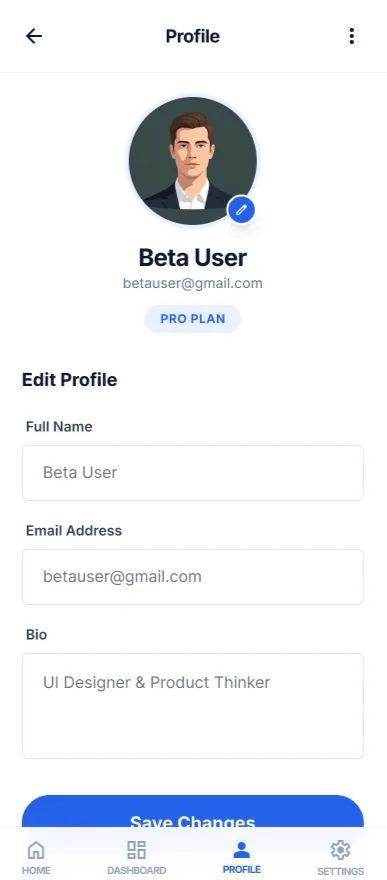
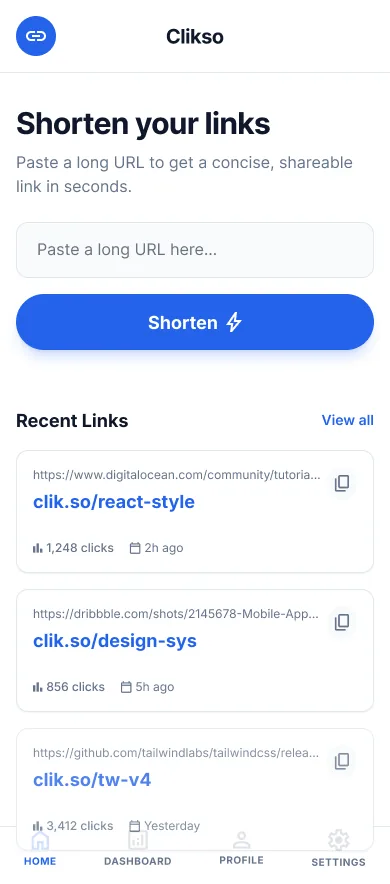
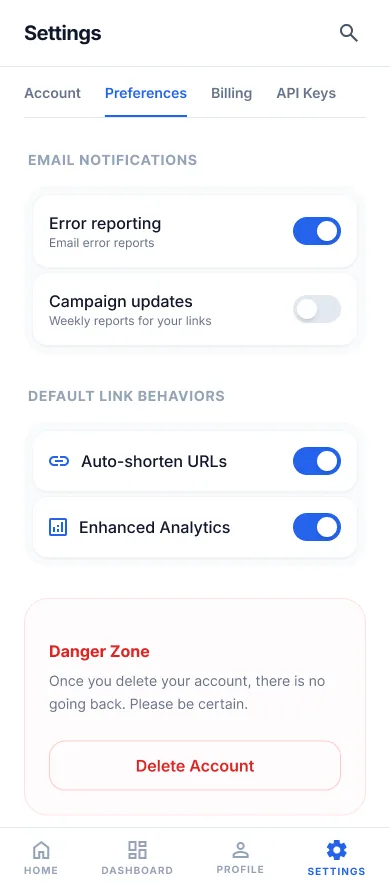
Clikso is Playxoft's link management platform, and this Flutter companion app puts the whole toolkit in your pocket. Create branded short links with custom slugs, generate QR codes, and watch real-time click analytics — geography, devices and referrers — from anywhere. Built with Flutter for pixel-perfect performance on both iOS and Android, the app talks to the same Golang + TypeScript backend that powers clik.so on the web, with Postgres and Redis keeping link resolution instant across the globe.
Why Choose Clikso?
Revolutionizing your digital workflow.
Intuitive UI/UX
Seamless navigation designed for the best user experience.
Real-time Sync
Your data is always up-to-date across all your devices.
Cloud Integration
Securely store and access your information from anywhere.
Advanced Analytics
Get deep insights into your usage patterns and performance.
Solutions & Capabilities
Tailored to fit your specific needs.
Standard Edition
Full access to all essential features for everyday use.
Professional Tools
Advanced capabilities for power users and enterprise teams.
Offline Support
Keep working even when you don't have an internet connection.
Specs
Category
Link Management
Framework
Flutter / Dart
Platform
iOS, Android
Cloud
Google Cloud, Cloudflare
Backend Language
Golang + Typescript
Database
Postgres, Redis
Need A Custom Solution?
Tailored To Your Exact Needs
Overview
This is the Clikso companion app for iOS and Android — the mobile half of the link management platform that runs at clik.so. It exists because the two things people most often need from a link platform are the two things least suited to a desktop: creating a link while standing in front of the thing it will be printed on, and checking whether a campaign is working while away from a laptop.
The app covers the full working loop rather than being a read-only dashboard. You can create branded short links with custom slugs, generate QR codes, scan existing codes, and read real-time click analytics broken down by geography, device and referrer. It talks to the same Golang and TypeScript backend that serves the web platform, with Postgres and Redis behind it, so a link created on a phone is immediately live and resolving at the same edge latency as one created in a browser.
It is built in Flutter, which is a deliberate choice rather than a default. A link tool is used in short, frequent bursts — pull out phone, create link, put phone away — and that usage pattern punishes slow startup and janky scrolling far more than a long-session app would. A single Dart codebase delivering native performance on both platforms keeps iOS and Android at feature parity instead of one trailing the other by a release.
How It Works
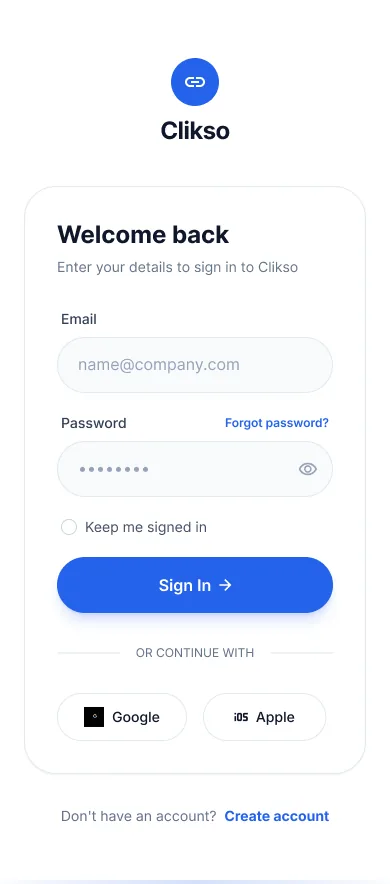
Sign in to your workspace
The app authenticates against the same account and workspace as the web platform, so links, domains and analytics are shared rather than duplicated. There is no separate mobile workspace to keep in sync, which is the usual failure mode of companion apps.
Create links on the spot
Paste or share a destination into the app, set a custom slug, and the branded short link is live immediately on your connected domain. This is the case the app is really built for — creating the link at the moment you need it rather than noting the URL down to shorten later at a desk.
Generate and scan QR codes
QR codes are generated for any link directly on the device, and the scanner reads existing codes so you can check where one actually resolves before it goes to print. Scanning to verify is the step most teams skip and most regret.
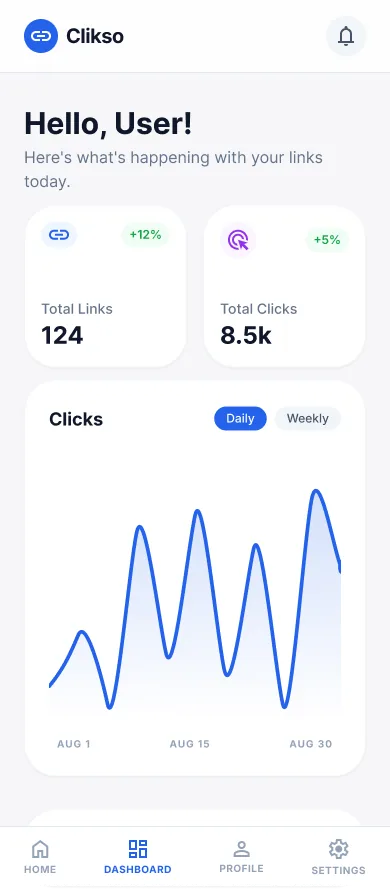
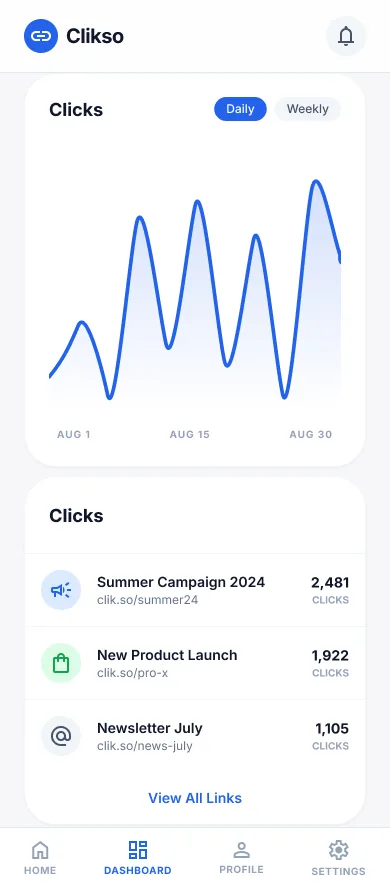
Watch analytics in real time
Click data arrives broken down by geography, device and referrer, the same view the web dashboard shows. Because campaigns tend to be judged in their first hours, having that on a phone is the difference between catching a misrouted link early and finding out the next morning.
Common Use Cases
Events and field marketing
Creating and verifying links and QR codes on site, where the destination may need changing between sessions and there is no practical opportunity to open a laptop.
Social and content publishing
Shortening and tracking links at the moment of posting, from the same device the post is being written on, with UTM consistency preserved across the team.
Checking campaigns away from a desk
Reading real-time performance for a live campaign — geography, device and referrer — without needing to be at a computer to know whether something is working.
What to Decide Early
Set up your domain on the web first
Custom domains and SSL are configured once on the web platform, and the app then creates links against whatever domains already exist. Doing that setup first means your first mobile link is already branded; skipping it means creating links you will later wish had been on your own domain, and short links are deliberately hard to migrate.
Agree slug conventions across devices
The app makes link creation fast enough that more people will do it, which is the point — and also the risk. Without an agreed slug convention, mobile-created links drift from web-created ones and campaign analytics fragment across near-identical names. The convention matters more once creation is easy, not less.
Verify QR destinations before anything is printed
The scanner exists precisely for this. A QR code that resolves to a staging URL or a mistyped slug is invisible until someone scans it, and by then it is usually on physical media. Scanning your own code once before sign-off costs seconds and prevents the single most expensive mistake in this workflow.
Frequently Asked Questions
Still have questions? Talk to our team