Team Connect
High-performance mobile solution engineered by Playxoft for a seamless user experience.
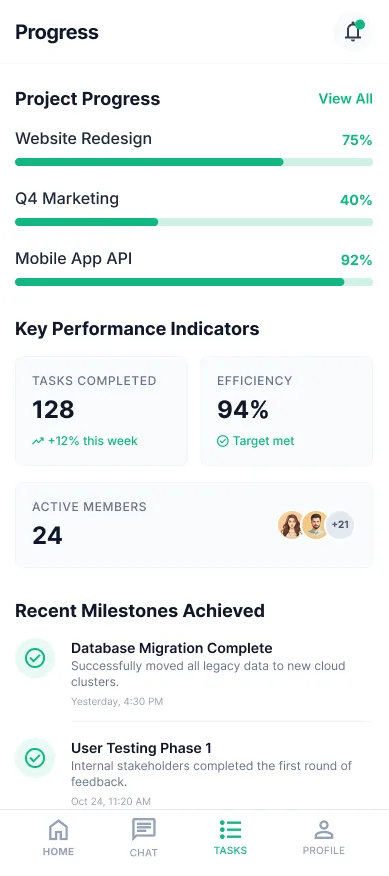
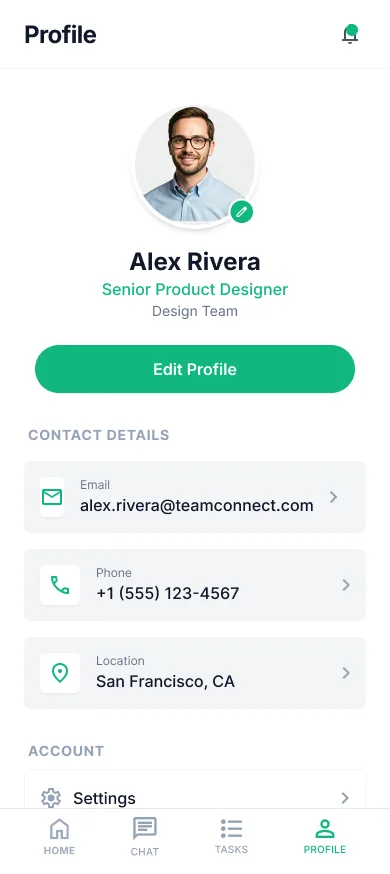
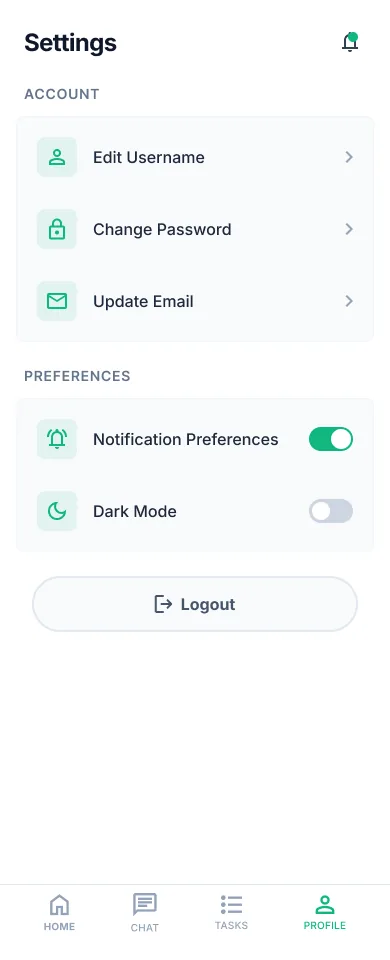
Next Generation App Solution
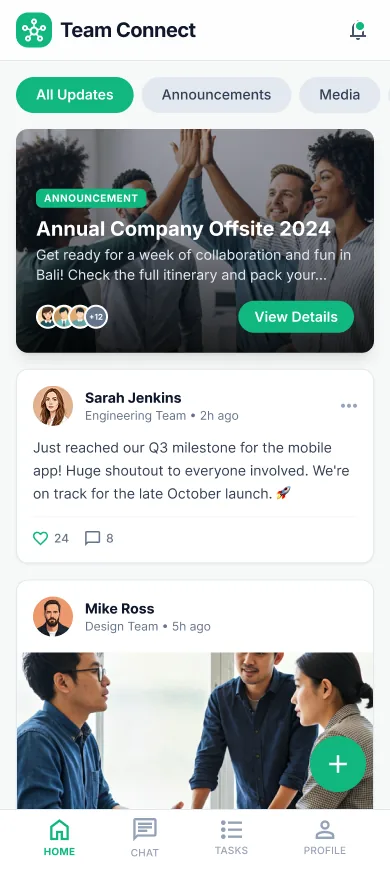
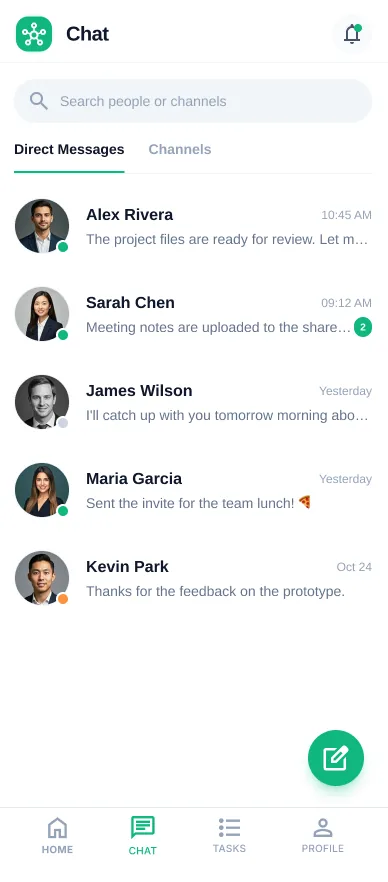
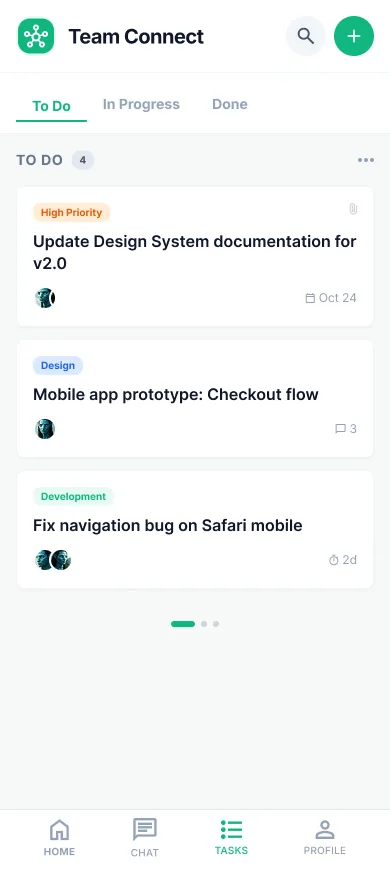
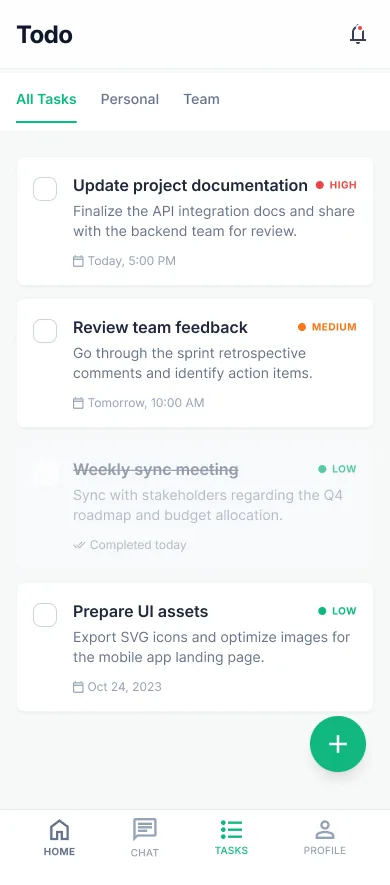
Team Connect is a powerful mobile application designed to streamline internal communication and boost productivity within organizations. It provides a centralized platform for team members to collaborate, share updates, and manage tasks in real-time. Built with Flutter, Team Connect offers a seamless and responsive user experience across both Android and iOS platforms. It features secure messaging, channel-based discussions, and integrated task tracking to ensure everyone stays aligned and projects stay on track.
Why Choose Team Connect?
Revolutionizing your digital workflow.
Intuitive UI/UX
Seamless navigation designed for the best user experience.
Real-time Sync
Your data is always up-to-date across all your devices.
Cloud Integration
Securely store and access your information from anywhere.
Advanced Analytics
Get deep insights into your usage patterns and performance.
Solutions & Capabilities
Tailored to fit your specific needs.
Standard Edition
Full access to all essential features for everyday use.
Professional Tools
Advanced capabilities for power users and enterprise teams.
Offline Support
Keep working even when you don't have an internet connection.
Specs
Category
Team Management
Framework
Flutter
Platform
iOS, Android
Cloud
Google Cloud
Backend Language
Golang
Database
MongoDB, Redis
Need A Custom Solution?
Tailored To Your Exact Needs
Overview
Team Connect is an internal communication and task management app for organisations, built in Flutter for iOS and Android. It targets a specific and common situation: a team whose conversations live in one tool, whose tasks live in another, and whose actual decisions live in neither — because the decision was made in a thread and the task created afterwards never captured why.
The app puts channel-based discussions, secure direct messaging and integrated task tracking in one place, so the conversation that produced a task and the task itself stay connected. Real-time messaging keeps distributed and shift-based teams aligned without everyone needing to be at a desk, which is the case most internal tools handle worst.
It runs on a Golang backend with MongoDB and Redis on Google Cloud, a stack chosen for messaging workloads specifically — Redis for the real-time delivery path, MongoDB for message and task history that grows indefinitely and is queried by recency far more often than by anything else. Flutter gives a consistent experience across both platforms, which matters for internal tools where you cannot choose your users' devices.
How It Works
Organise around channels
Discussions are grouped into channels by team, project or topic rather than accumulating in one undifferentiated feed. This is what keeps a message findable later, and what stops people muting everything because the volume is unmanageable.
Message securely and directly
Direct messaging covers the conversations that should not sit in a channel, with security treated as a baseline rather than a premium tier. Internal communication routinely carries personnel, commercial and customer information, which is exactly why teams should not be running it through consumer chat apps.
Turn conversation into tracked work
Task tracking is integrated rather than federated to a separate tool, so the work item and the discussion that produced it stay attached. The value is not the task list itself — it is that six weeks later the reasoning behind a task is still reachable.
Stay aligned in real time
Messaging and updates are delivered in real time across devices, so field, shift and distributed staff get the same information at the same moment as people at desks. Redis handles the delivery path and MongoDB retains the history behind it.
Common Use Cases
Distributed and field teams
Organisations where a significant share of staff are not at a computer — field service, retail, logistics, hospitality — and where email is a poor fit for time-sensitive coordination.
Project coordination
Teams that need discussion and task tracking to live together, so that status is derived from the same place the work is being discussed rather than maintained separately and drifting.
Internal communication consolidation
Companies replacing a mix of consumer chat apps and informal channels with something they control, where security and access revocation on departure are actual requirements.
What to Decide Early
Design the channel structure before you roll out
Channel structure is the thing that determines whether the tool stays usable at a hundred people, and it is nearly impossible to fix retroactively because conversations have already accumulated in the wrong places. Too few channels and everything is noise; too many and nobody knows where to post. Decide the axis — team, project, or location — and be consistent about it from day one.
Agree what belongs in a task versus a message
Integrated task tracking only helps if there is a shared understanding of when something becomes a task. Without that, either everything becomes a task and the list stops being meaningful, or nothing does and commitments stay buried in threads. This is a working agreement rather than a configuration setting, and it needs stating explicitly.
Plan offboarding alongside onboarding
Internal communication tools accumulate sensitive history quickly, so the question of what happens to a departing employee's access and messages should be answered before the first rollout rather than at the first departure. Teams consistently plan the joining path in detail and improvise the leaving one, which is the wrong way round from a risk perspective.
Frequently Asked Questions
Still have questions? Talk to our team