AAB to APK Converter
Professional production-ready components engineered for the next generation of games.
Overview
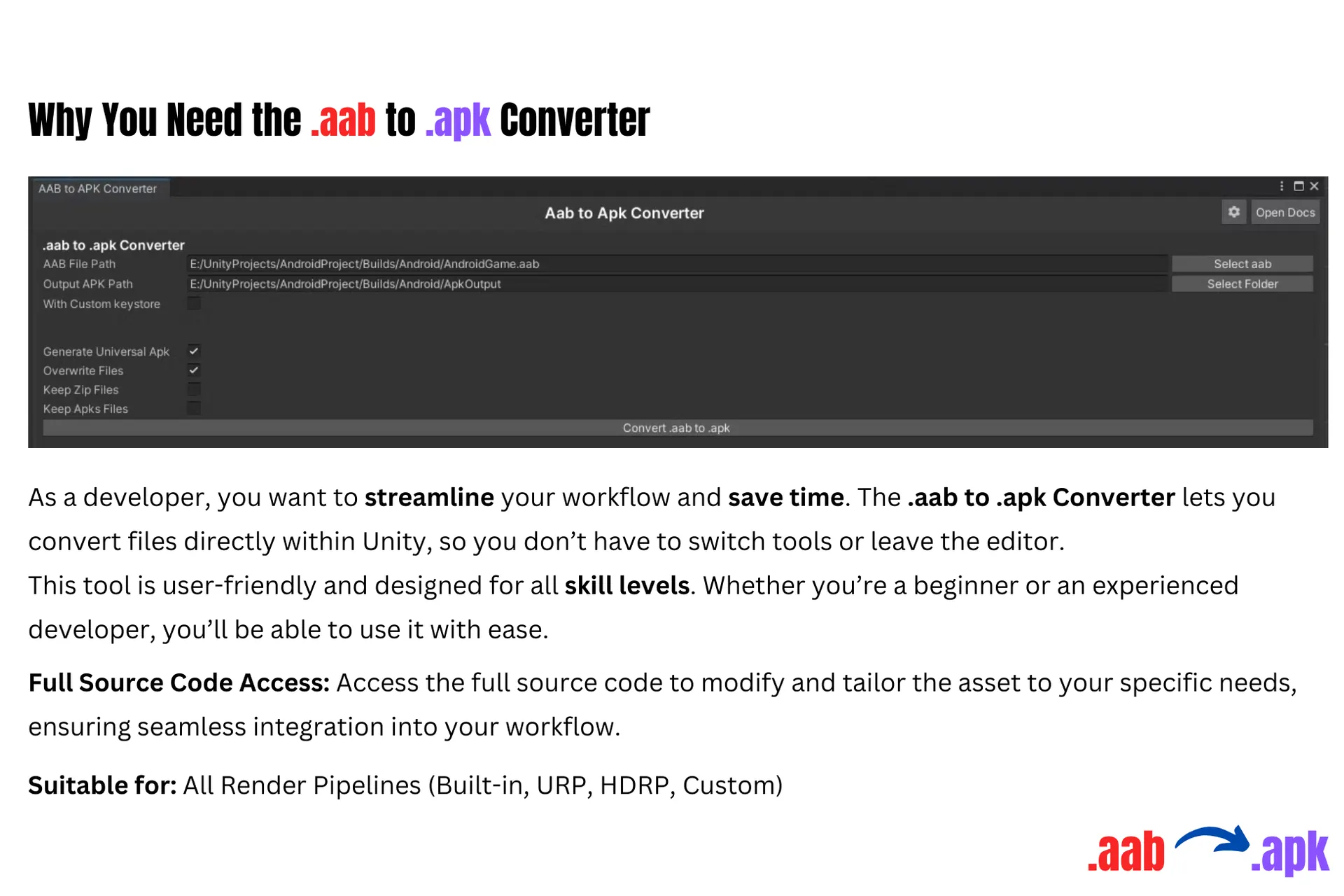
Introducing the .aab to .apk Converter, the ultimate solution for Unity developers who want to simplify their Android build process. Converting .aab files to .apk can be a hassle, but not anymore. With this converter, your builds will be ready in just a few clicks. No more struggling with command lines or complex tools. You can now focus on what really matters—developing great games.
Why This Asset?
Quality results for your game projects.
Direct Unity Integration
Convert .aab files to .apk directly inside the Unity editor without switching tools.
Streamlined Workflow
Stay inside your development environment and avoid external converters or complicated steps.
Fast Conversion
Optimized to convert .aab files to .apk in seconds for quick testing and distribution.
Beginner Friendly
Designed for developers of all skill levels with a simple and intuitive interface.
No Coding Required
Use the converter without writing scripts or dealing with complex commands.
Perfect for Android Development
Built specifically for developers creating Android games and applications.
Reliable Results
Generate consistent and dependable .apk builds from your .aab files.
Great for Testing Builds
Quickly create .apk files for device testing and internal distribution.
Specs
Engine
Unity
Publisher
Playxoft Studio
Category
Utility / Engine Tools
File Size
12 MB
Render Pipeline
URP, HDRP, Built-in
Unity Version
2021.3+
Download
Get instant access to this premium asset and start creating immersive experiences today. Join thousands of developers worldwide using our high-performance tools.
Get it from Asset Store — $0Overview
The AAB to APK Converter solves a friction point that every Unity Android developer meets and almost nobody enjoys. Google Play requires the Android App Bundle format, but an .aab file cannot be installed directly on a device for testing. Getting a testable .apk out of one normally means leaving Unity for command-line tooling, remembering the right invocation and keystore arguments, and doing it again every time you need a build on a phone.
This converter does that inside the Unity editor. Select the bundle, convert, get an .apk — no command line, no external tools, no scripts to maintain. It is deliberately simple, because the problem it addresses is not conceptually difficult; it is just repetitive enough to interrupt a testing loop dozens of times across a project.
It requires no coding, suits developers at any experience level, and produces consistent builds suitable for device testing and internal distribution. It targets Unity 2021.3 and above, works across URP, HDRP and the built-in pipeline, and is free at $0 — which for a tool that removes a recurring daily annoyance is an unusually easy evaluation.
How It Works
Build your bundle as usual
Nothing changes about how you produce the .aab. Your existing Unity build settings, signing configuration and pipeline stay exactly as they are — the converter sits after that step rather than replacing any part of it.
Convert inside the editor
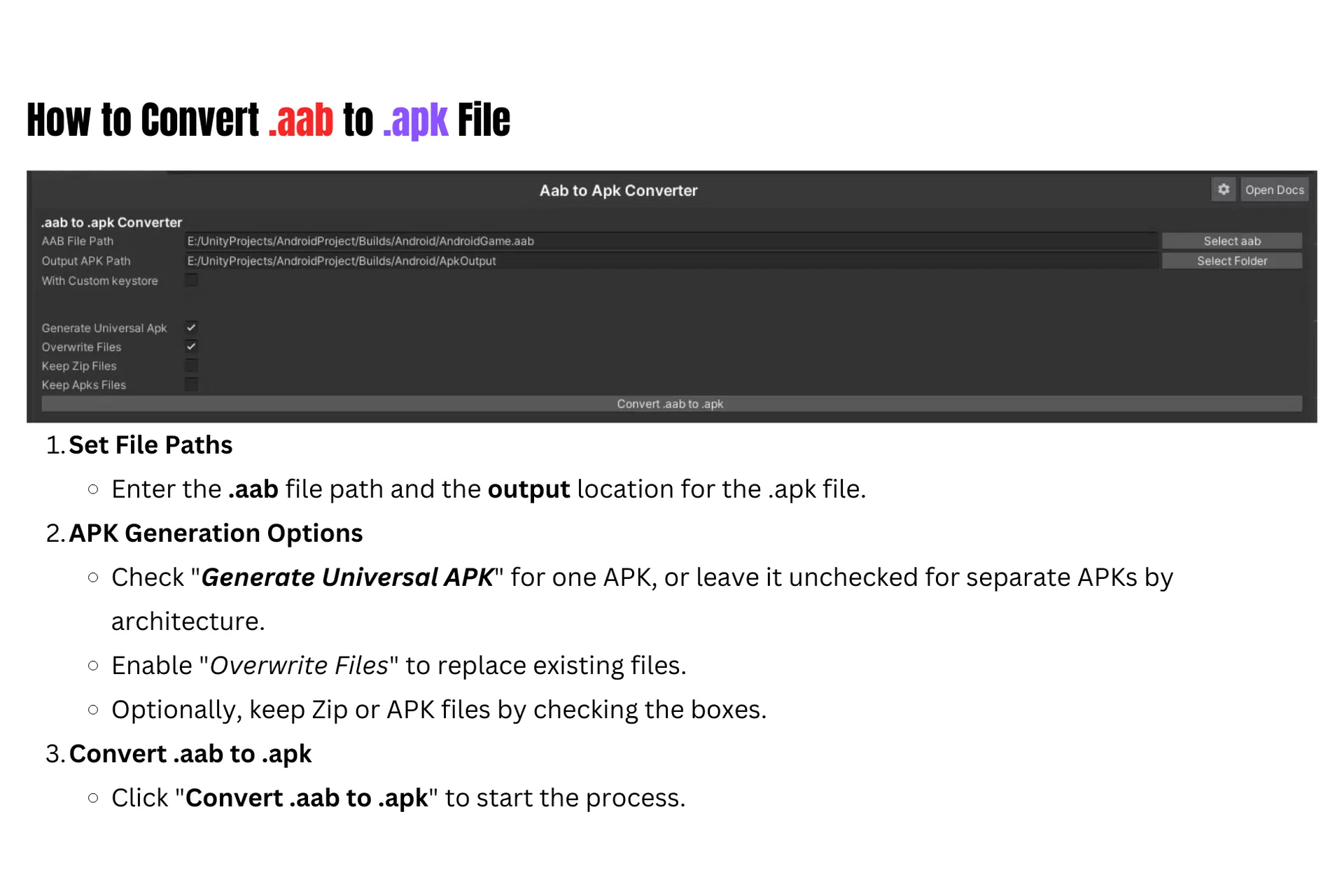
Select the bundle and convert it from within Unity. This is the whole point: no terminal, no separate SDK tooling invoked by hand, and no context switch away from the editor you were already working in.
Install and test on device
The resulting .apk installs directly on a test device. For the common loop of build, install, test, adjust, repeat, removing the manual conversion step is what makes that loop tight enough to actually iterate in.
Share for internal distribution
The same .apk covers internal distribution to testers and stakeholders who need to install a build without going through a store track, which is usually the fastest route to feedback early in development.
Who It Is For
Device testing loops
The everyday cycle of getting a build onto a physical phone, where the conversion step is pure overhead repeated many times a day.
Internal builds and QA
Distributing installable builds to testers and stakeholders directly, without the delay of a store review or internal testing track.
Developers new to Android builds
Teams without deep Android toolchain familiarity, for whom the command-line route is a genuine obstacle rather than a minor inconvenience.
What to Decide Early
This is for testing, not for publishing
Google Play still requires the .aab for release — the converted .apk is for device testing and internal distribution. The tool removes friction from your development loop; it does not change what you submit to the store. Worth being explicit about, because the distinction occasionally causes confusion about what format goes where.
Check your Unity version
It targets Unity 2021.3 and above. Projects on older versions will need to upgrade first, and an engine upgrade is a considerably larger undertaking than adopting this tool — so confirm the version before planning around it.
Signing still matters
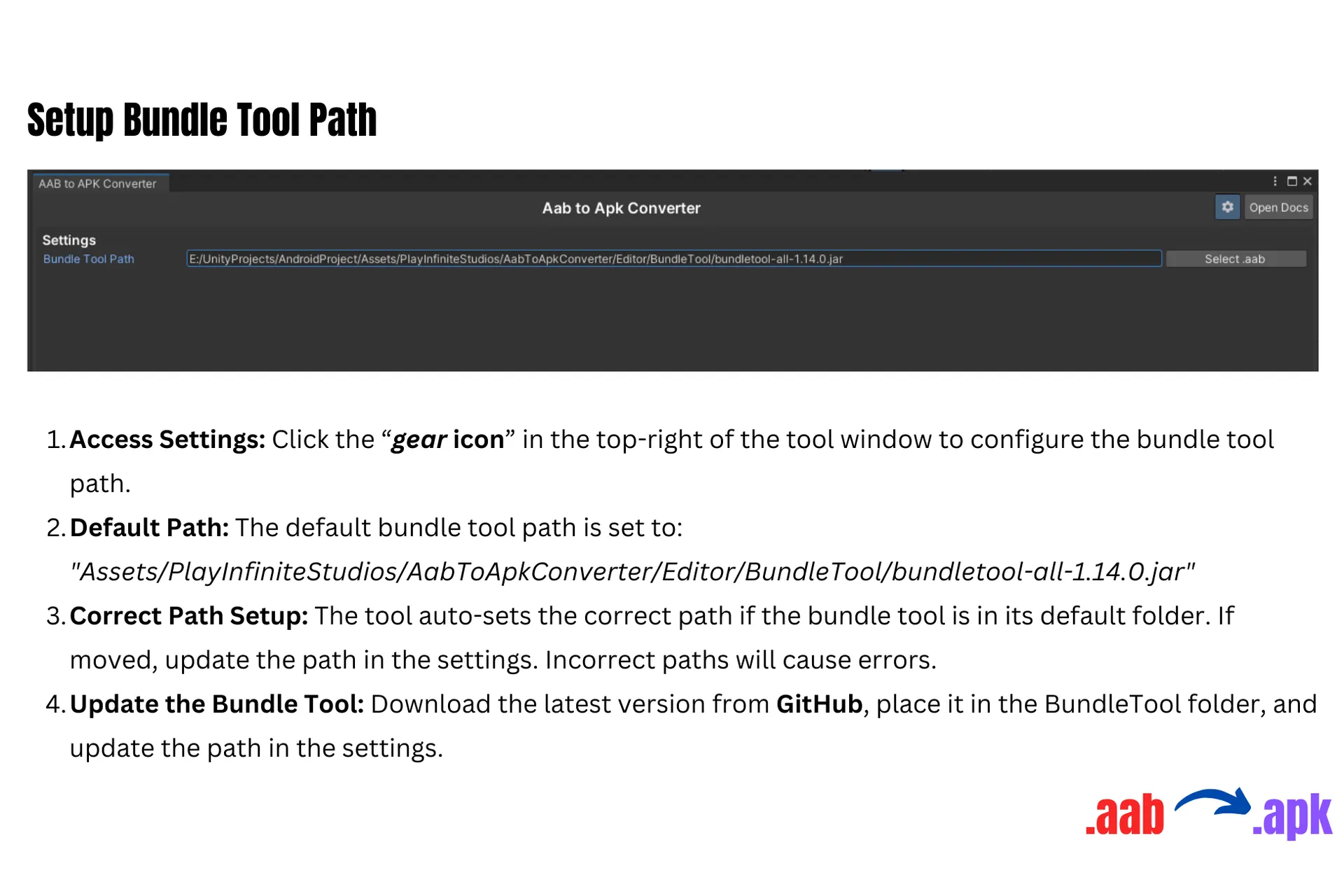
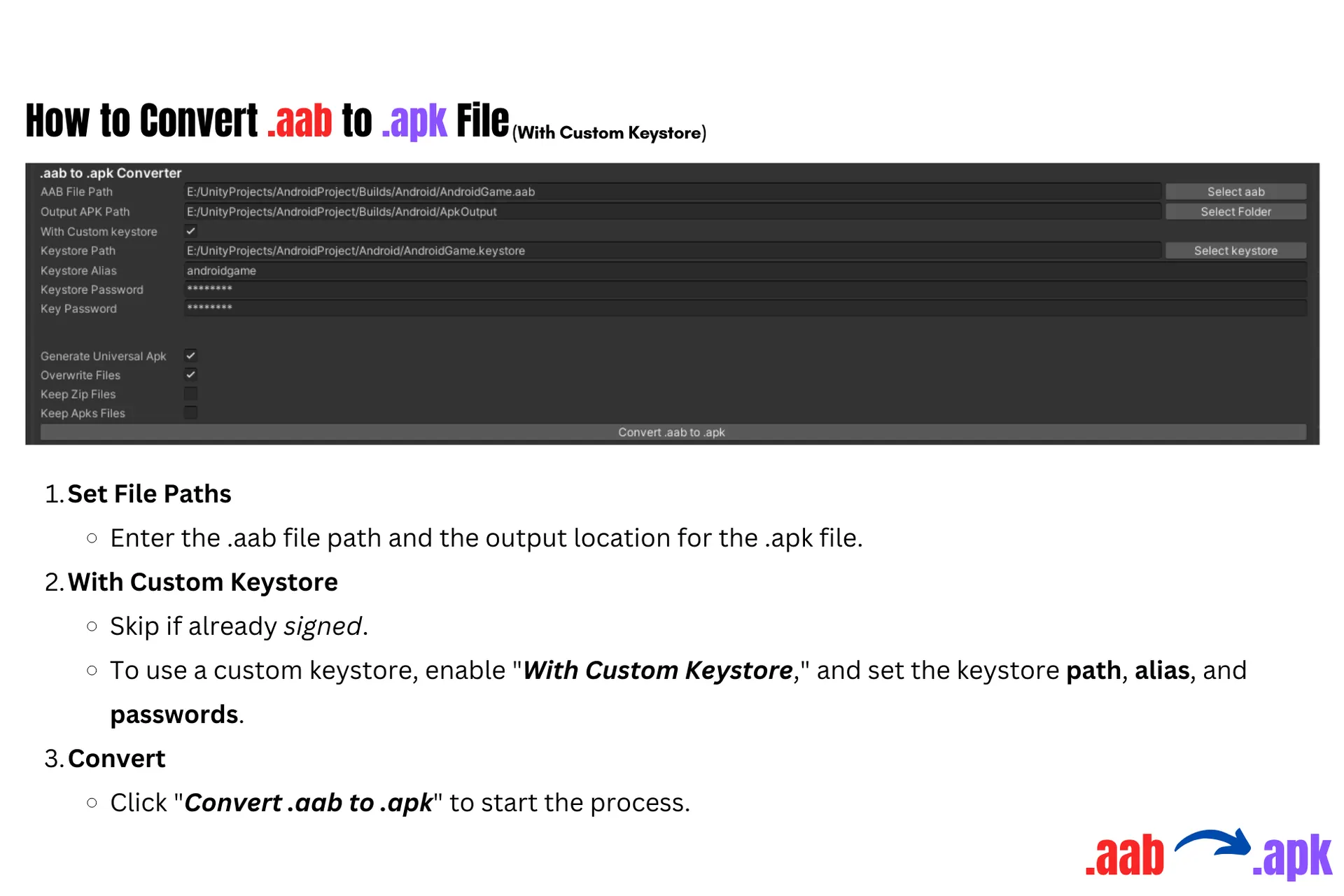
A converted .apk that testers will install still needs to be signed appropriately for your testing setup. The tool handles the conversion, not your keystore policy, and teams that have not settled how test builds are signed will hit that question here rather than avoid it.
Frequently Asked Questions
Still have questions? Talk to our team