Master Toolbar
Professional production-ready components engineered for the next generation of games.
Overview
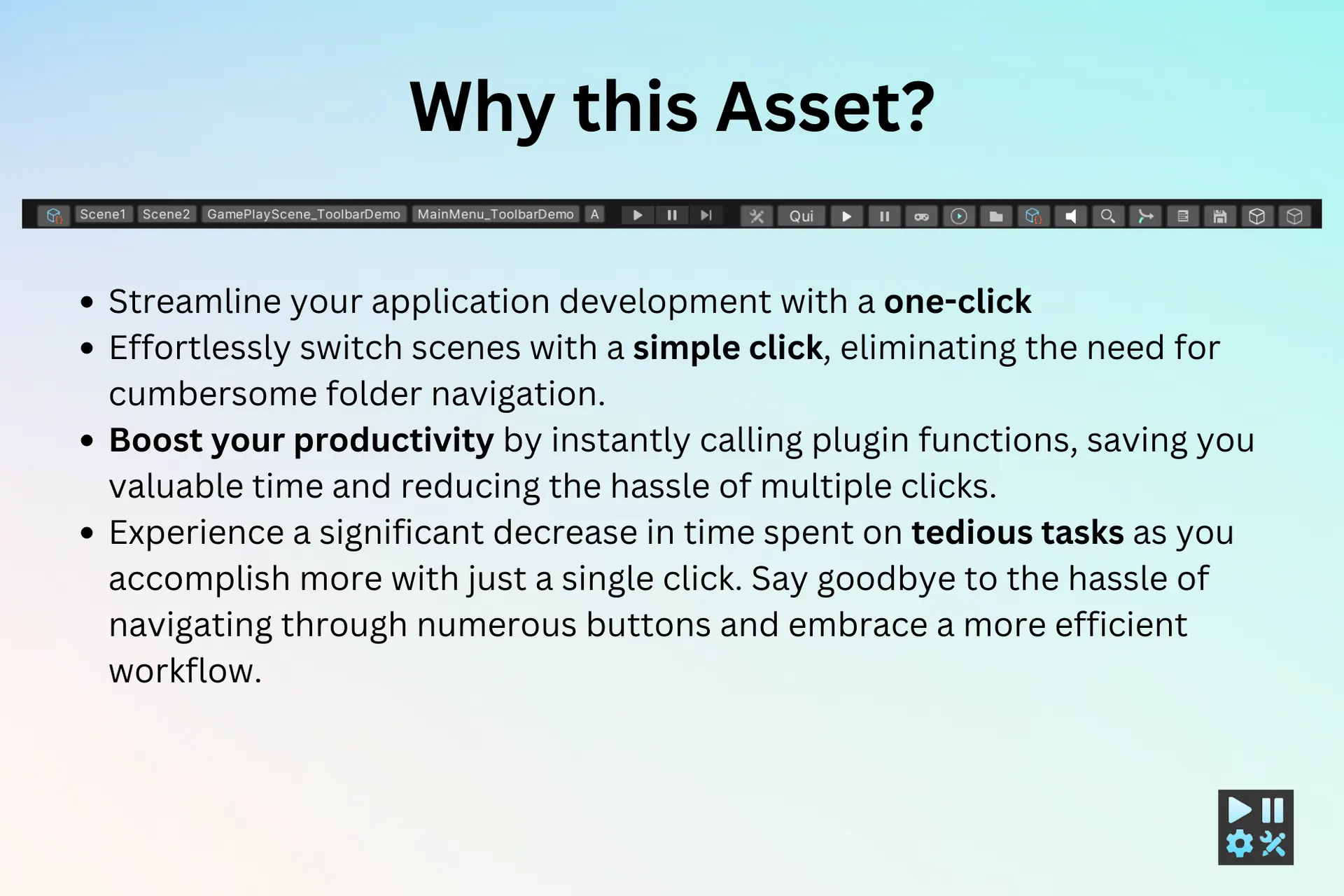
Master Toolbar is the ultimate productivity suite for Unity developers. It streamlines your workflow by providing instant access to scenes and common editor functions. Designed for high-speed development, it eliminates the need to navigate through deep folder structures or multiple menus, allowing you to focus on building your game.
Why This Asset?
Quality results for your game projects.
Scene Switch
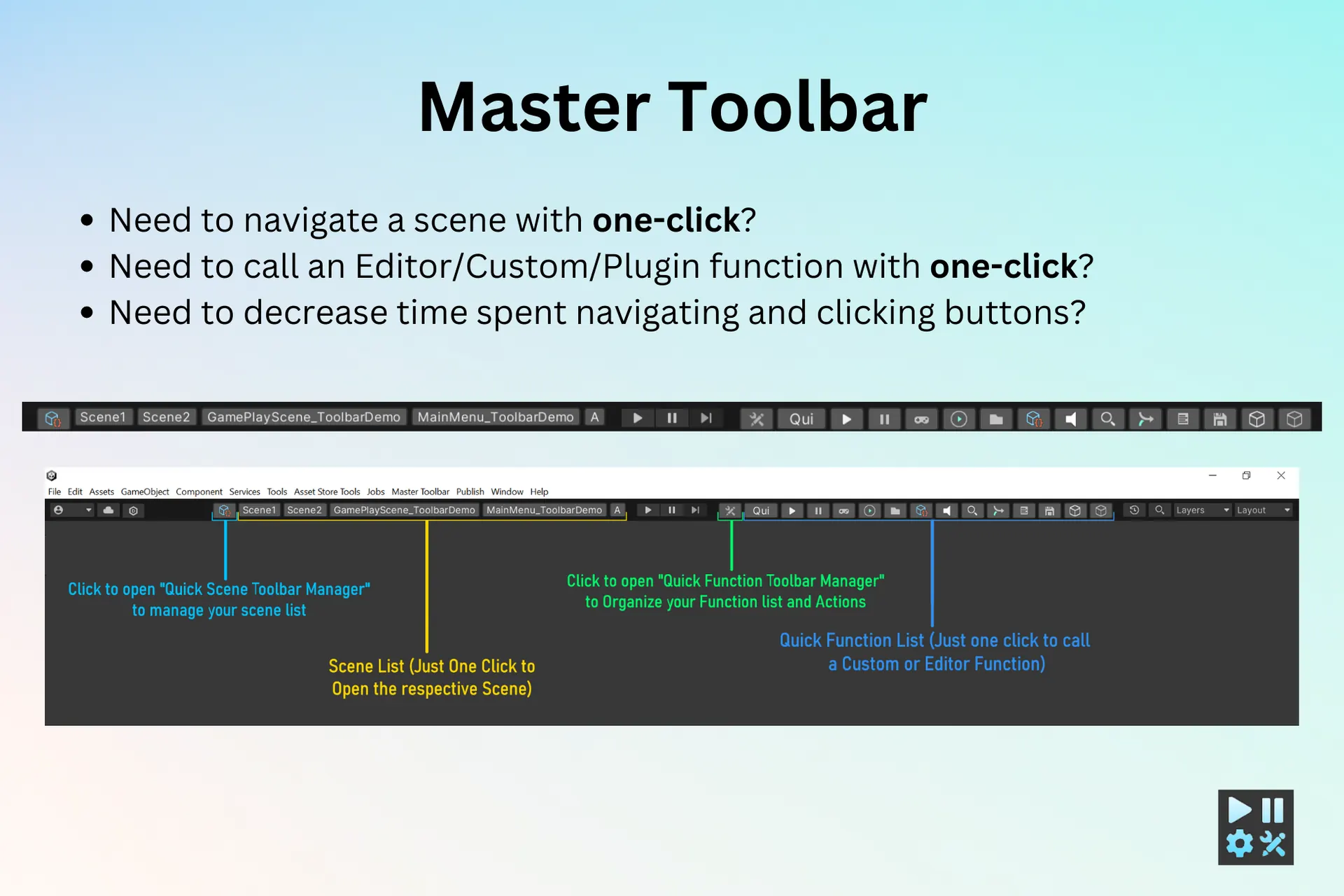
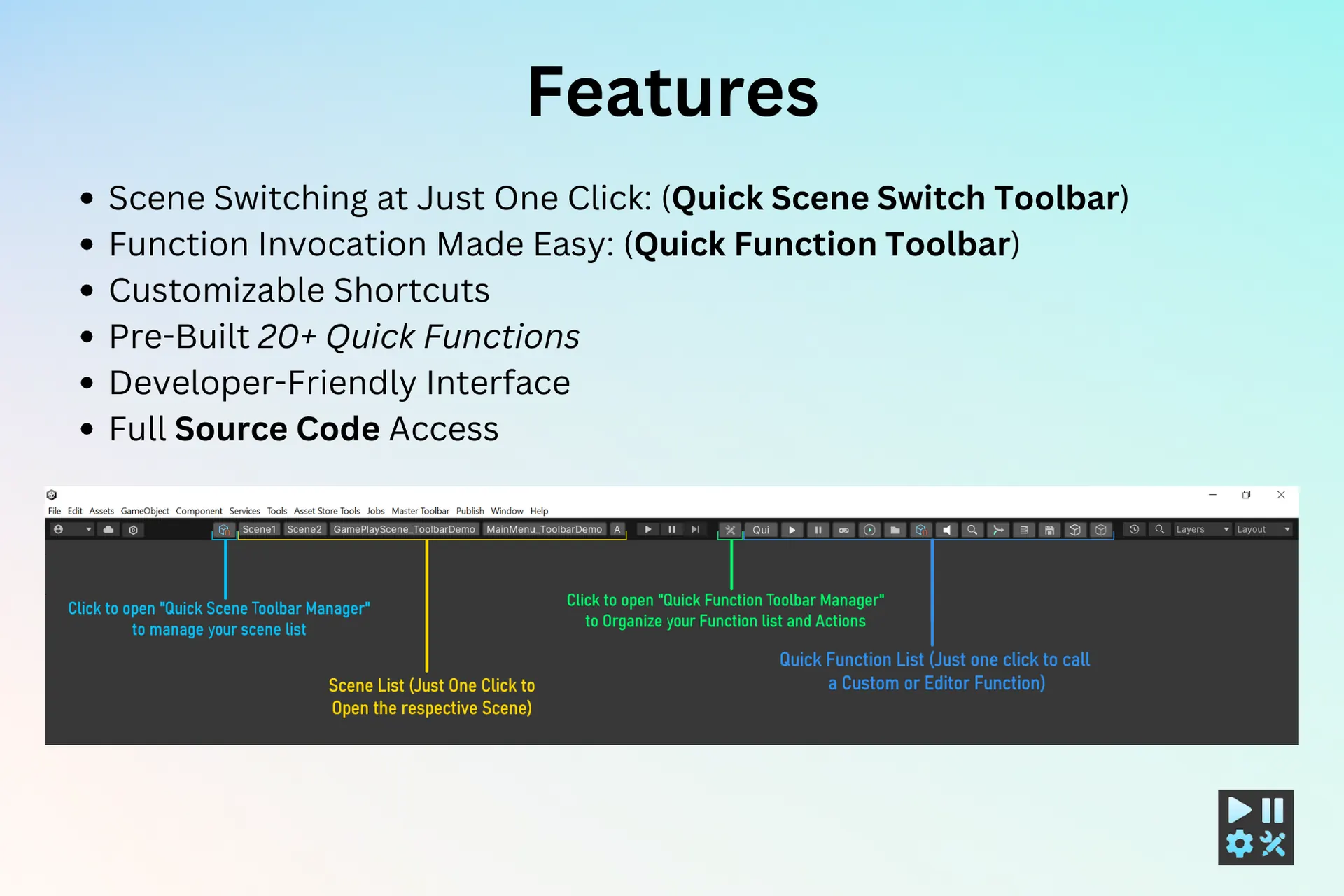
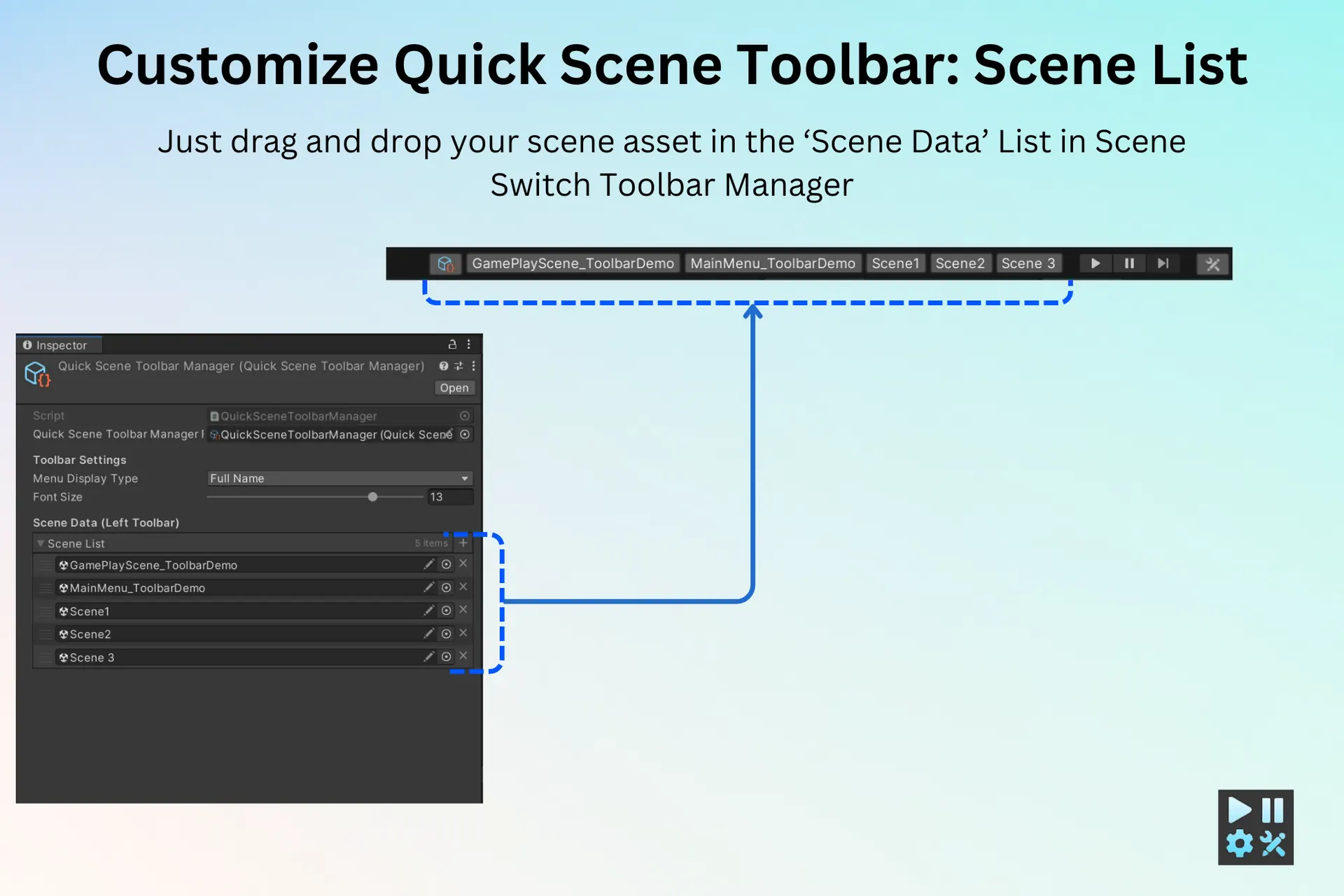
Open and switch between Unity scenes instantly with a single click using the quick scene switch toolbar.
Quick Actions
Execute frequently used editor actions instantly without navigating through menus.
Productivity Boost
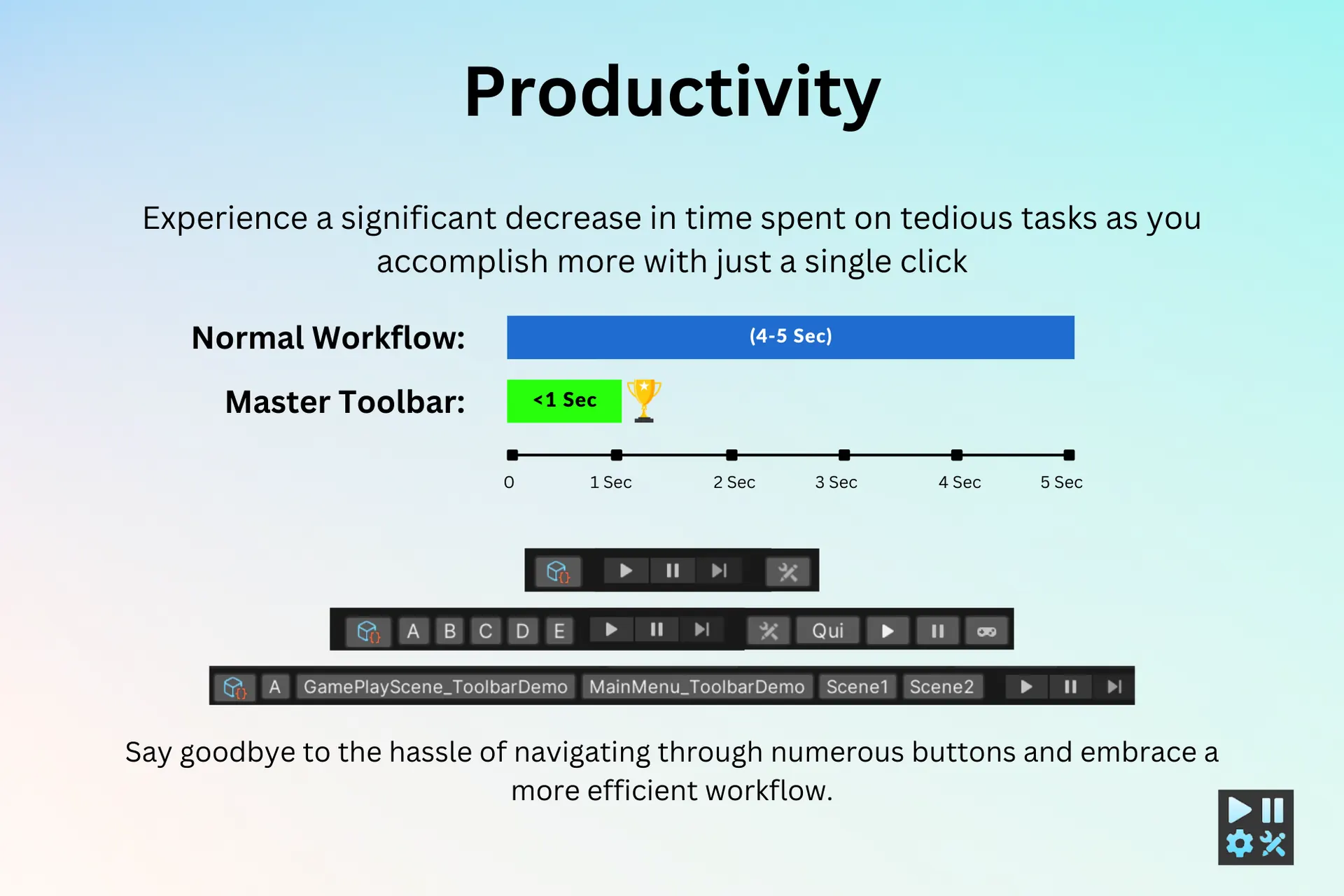
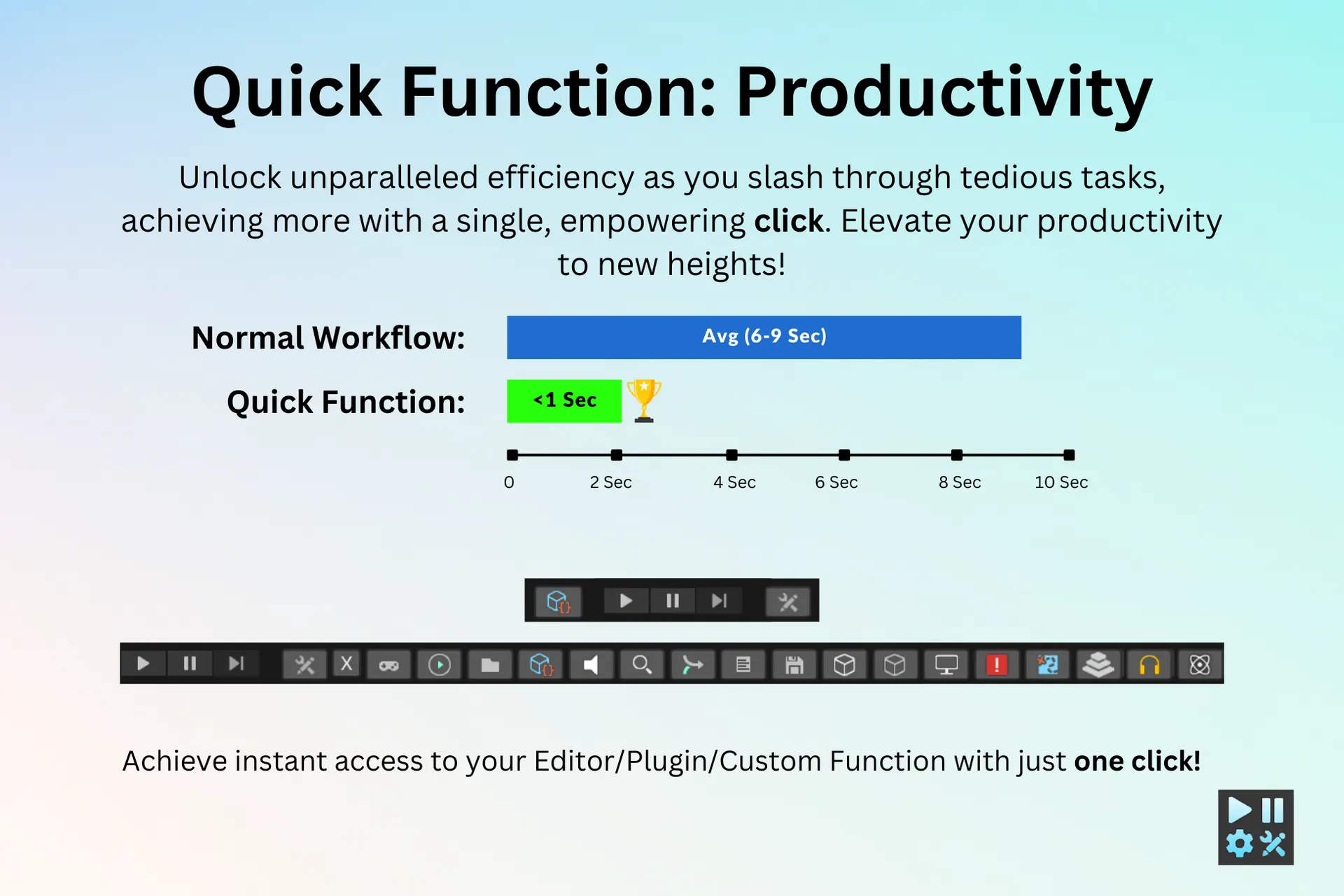
Automate repetitive editor tasks and significantly speed up your Unity development workflow.
Function Toolbar
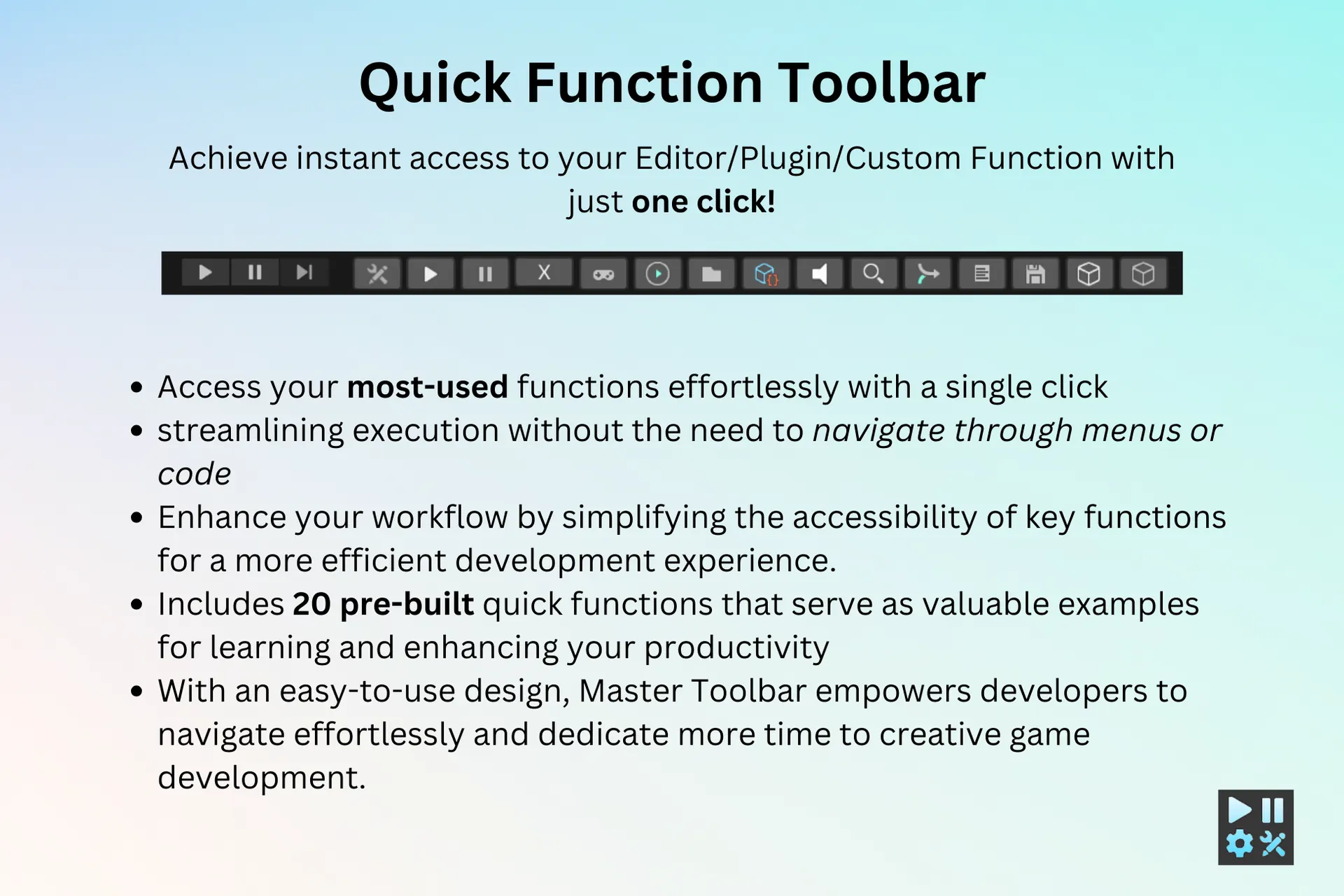
Access and trigger your most-used plugin functions instantly from a dedicated toolbar.
Custom Shortcuts
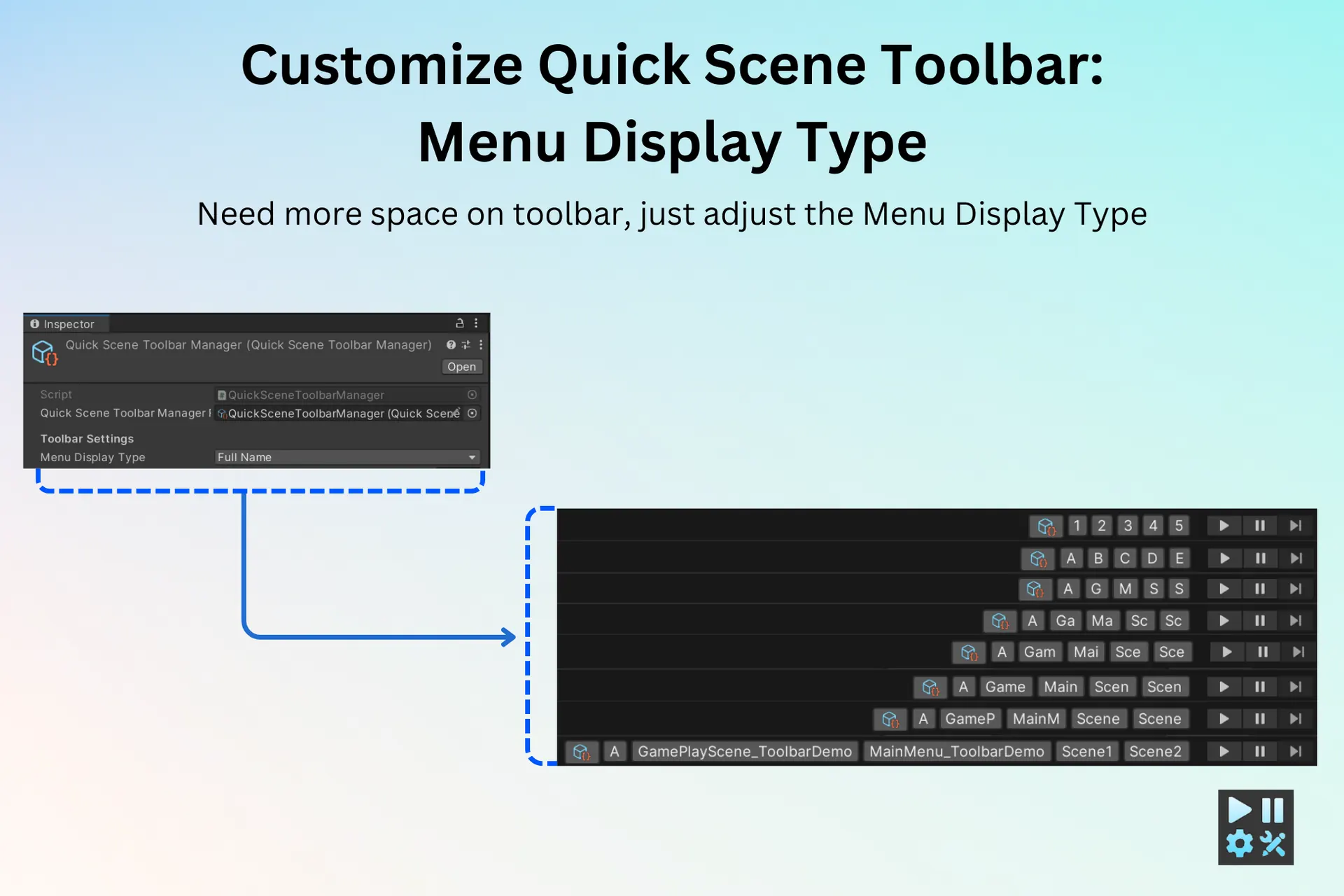
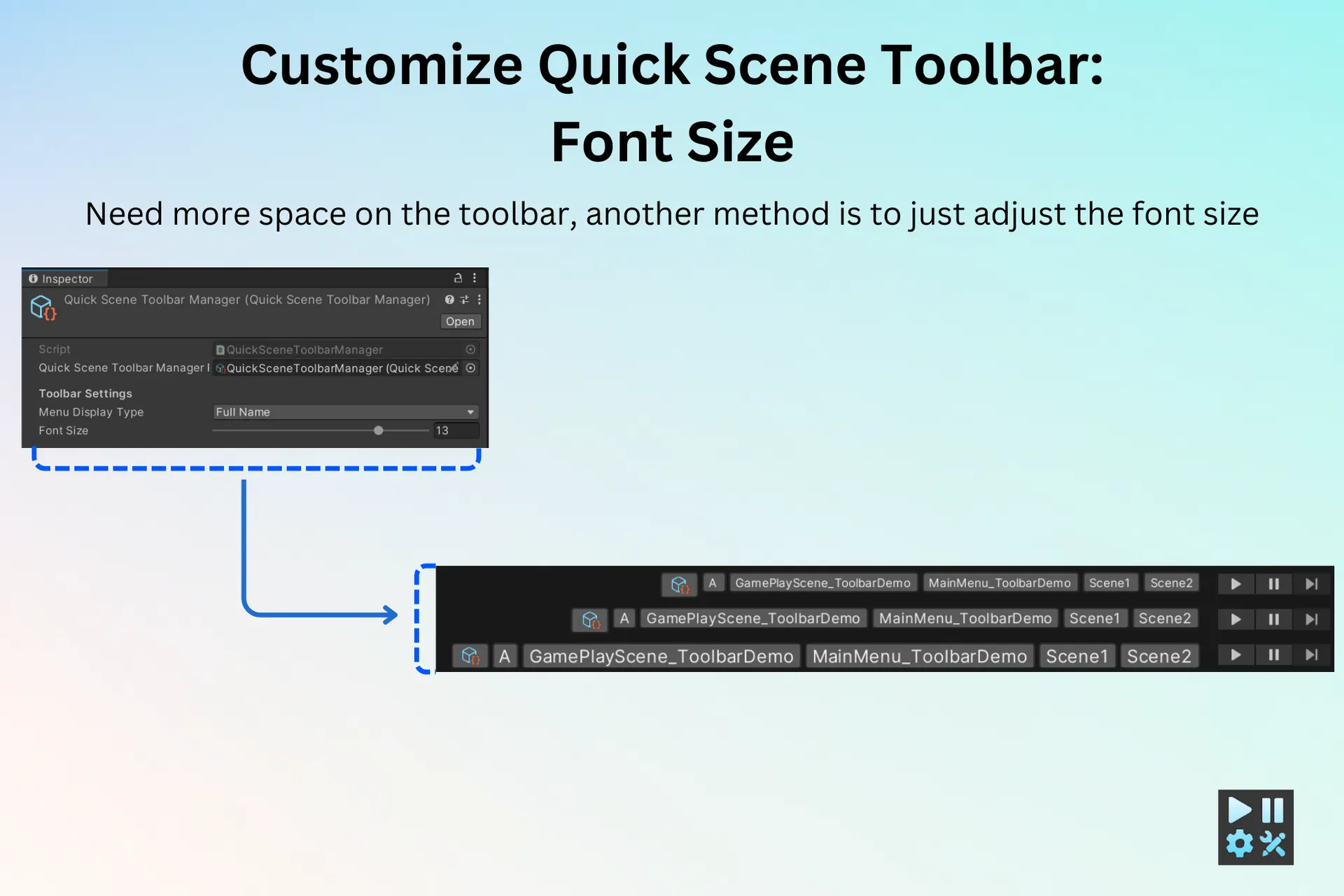
Create and organize custom shortcuts for scenes and functions that match your workflow.
20 Functions
Includes 20 ready-to-use functions that help you learn, extend, and improve your productivity.
Fast Navigation
Avoid searching through project folders by switching scenes directly from the toolbar.
Source Code
Access and modify the complete source code to customize the tool for your workflow.
Specs
Engine
Unity
Publisher
Playxoft Studio
Category
Editor Tool
File Size
400 KB
Render Pipeline
URP, HDRP, Built-in
Unity Version
<6000.0.1
Download
Get instant access to this premium asset and start creating immersive experiences today. Join thousands of developers worldwide using our high-performance tools.
Get it from Asset Store — $20Overview
Master Toolbar is an editor productivity tool for Unity built around one of the least glamorous and most expensive problems in game development: the time lost navigating the editor itself. Switching scenes means opening a folder tree and hunting for a file. Running a common action means remembering which menu it lives under. Individually these cost seconds; across a working day, across a team, across a project, they add up to a meaningful share of development time that produces nothing.
The tool puts scenes and frequently used functions in a toolbar within immediate reach. Scene switching is a single click rather than a folder traversal. Common editor actions are triggered directly instead of through nested menus. Custom shortcuts let each developer organise the toolbar around their own workflow, which matters because a technical artist and a gameplay programmer do not reach for the same things.
It ships with 20 ready-made functions that are useful immediately and also serve as worked examples for extending the tool, and the complete source code is included so teams can modify it rather than work around it. At roughly 400 KB it adds essentially nothing to a project, works across URP, HDRP and the built-in pipeline, and is priced at $20.
How It Works
Install and open the toolbar
The package drops into the project and exposes its toolbar in the editor. Because it is an editor tool rather than a runtime system, it has no effect on your build — nothing ships to players and nothing needs stripping before release.
Pin the scenes you actually use
Scenes are added to the quick-switch toolbar and opened in one click. On any project past a handful of scenes, this replaces the single most repeated navigation task in the editor, and the saving scales with how deeply nested your project folders have become.
Attach your frequent functions
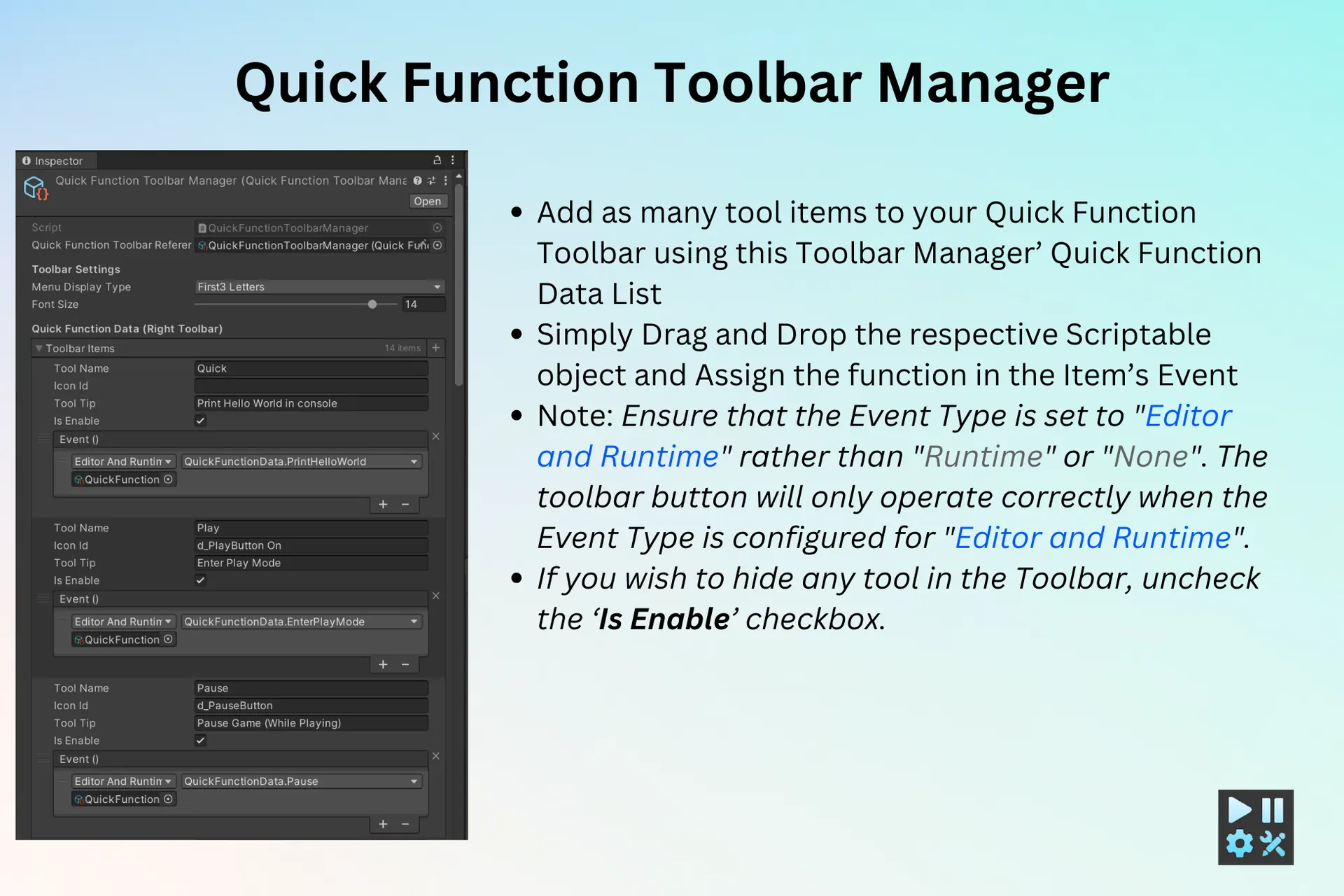
Commonly used editor actions and plugin functions are bound to the function toolbar so they trigger directly rather than through menu traversal. Twenty functions are included ready to use, which also demonstrate the patterns for adding your own.
Shape it around your workflow
Custom shortcuts let each developer organise scenes and functions the way they work rather than accepting a fixed layout. With full source code included, teams that need behaviour the tool does not offer can extend it directly instead of building a parallel solution.
Who It Is For
Multi-scene projects
Projects with many scenes where switching is constant — level-based games, projects using additive scene loading, and anything where the folder structure has grown deep enough that finding a scene takes real time.
Team workflow standardisation
Studios that want common actions reachable the same way for everyone, reducing the gap between a developer who knows every menu location and one who has just joined.
Editor tooling foundations
Teams building their own editor extensions, who can use the included source and the 20 supplied functions as a working base rather than starting from an empty editor script.
What to Decide Early
Check your Unity version first
The package targets Unity versions below 6000.0.1. Editor tooling is more sensitive to version changes than runtime code because it depends on editor APIs that Unity revises more freely between releases. Confirming your project's version against that ceiling before purchase is the single check most likely to save you a refund request.
Decide whether the toolbar is personal or shared
Custom shortcuts can be an individual preference or a team standard, and the two lead to different setups. A shared configuration makes pairing and onboarding easier; per-developer layouts suit teams with very different roles. Neither is wrong, but drifting between them means nobody's layout is reliable — worth an explicit decision if more than two people use it.
Treat the source access as part of the value
The complete source is included, which turns the tool from a fixed product into a starting point. Teams that read it can add project-specific functions cheaply. Teams that treat it as a black box get the advertised features and nothing more — a perfectly reasonable choice, but it leaves the larger part of the value unused.
Frequently Asked Questions
Still have questions? Talk to our team