AI Agents for Small Teams: 6 Workflows Worth Automating This Quarter

The interesting thing about AI agents for small business is that the useful applications are all boring.
Nobody writes case studies about invoice extraction. The demos that circulate show an agent booking a holiday or writing a business plan, and those demos are why most small teams try automation once, find it unreliable, and conclude it is not ready.
The workflows that genuinely pay off share a shape: repetitive, high-volume, low-stakes, and — critically — easy to check. Here are six that we have either implemented or run ourselves, with what to automate and what to keep human in each.
A rule before the list
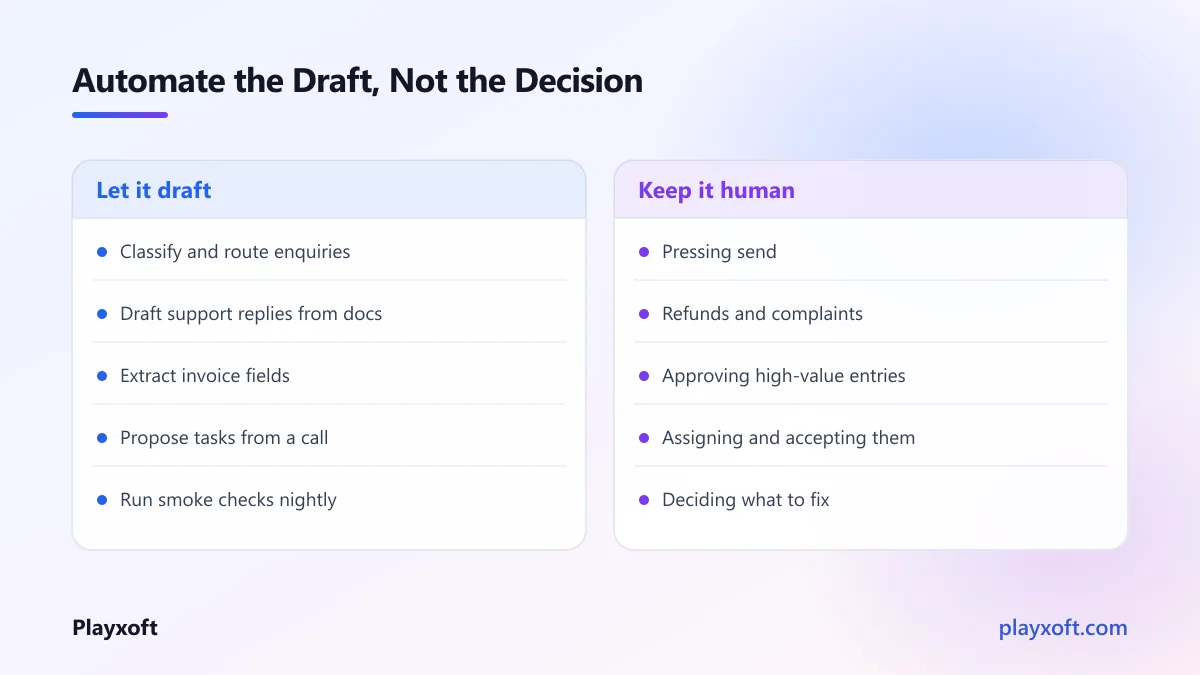
Automate the draft, not the decision.
Almost every successful automation we have seen produces something a person approves in seconds rather than something that acts unsupervised. The time saved is in the blank page and the gathering of context, not in the judgement.
This also means failures are cheap. A bad draft costs ten seconds to reject. A bad autonomous action costs a customer.
1. Lead triage and routing
The problem: enquiries arrive through a form, an inbox and a chat widget. Someone reads each one, works out what it is about, decides whether it is real, and forwards it. On a busy week this is an hour a day, and responses slow down exactly when you have the most interest.
What to automate: classify each enquiry by type, extract the key details into a consistent structure, flag obvious spam, and draft a first reply appropriate to the category. Route to the right person with a short summary attached.
What to keep human: sending. And any enquiry the classifier is not confident about — route those to a person rather than guessing.
How to measure: time from enquiry arriving to first human response. That number moving is the whole point.
2. Support first-response drafting
The problem: the same questions arrive constantly, each needing a personalised answer, each taking a few minutes of someone's attention.
What to automate: retrieve relevant documentation and past resolved tickets, draft a response grounded in them, and present it to your support person with the sources visible.
What to keep human: approval, always. And anything involving a refund, a complaint, an account change, or an unhappy customer — those need a person from the first word.
How to measure: what proportion of drafts get sent with minor edits versus rewritten from scratch. If most are rewritten, your source material is the problem, not the model.
3. Document and invoice extraction
The problem: invoices, receipts, purchase orders and forms arrive as PDFs and photos, and someone types their contents into a system.
This is the highest-confidence automation on the list, because the task is genuinely mechanical and the output is checkable at a glance.
What to automate: extract the structured fields — supplier, date, amounts, line items, reference numbers — and push them into your system as a draft entry.
What to keep human: a review step for anything above a value threshold, anything from a new supplier, and anything where the model reports low confidence. Confidence scores matter here more than anywhere else on this list.
How to measure: documents processed per hour, and the error rate on a sampled audit. Run the audit monthly even once it seems reliable.
4. Meeting notes into actual tasks
The problem: a call happens, decisions are made, and three of the five action items evaporate because nobody wrote them down in a place anyone looks.
What to automate: from a transcript, produce a short summary, a list of decisions, and a list of proposed tasks with suggested owners.
What to keep human: assigning and accepting. Proposed tasks should land somewhere for a person to confirm, not be created silently. An automatically assigned task nobody agreed to is worse than no task.
How to measure: how many proposed tasks survive review. And whether anyone can find the decision from a meeting six weeks ago, which they previously could not.
Be careful with consent here. Recording participants without telling them is a legal problem in many places and a trust problem everywhere. Say it at the start of the call. If you operate anywhere covered by European data protection rules, the guidance on lawful basis for processing is worth a read before you record anything containing personal data.
5. Automated smoke checks on your own product
The problem: something breaks in production and a customer tells you before your team notices.
What to automate: a scheduled run through your critical user journeys — sign up, log in, the core action, checkout — reporting failures with a screenshot and the steps taken.
What to keep human: deciding what to do about a failure. And writing the journeys in the first place, because that requires knowing what matters.
How to measure: what proportion of production incidents you detect before a customer reports them. This is a genuinely valuable number and most small teams have never measured it.
If you are trying to pick where to start
The common failure is starting with the most exciting workflow rather than the one with the clearest measurement. Ambiguous results kill automation projects, because nobody can defend continuing.
If you want help choosing where the return is highest for your specific operation, we are happy to work through it with you — including saying when a simple template or a better form would do the job.
6. Content repurposing
The problem: you wrote something good. Turning it into a newsletter, a few social posts and a summary is three hours of tedious work, so it does not happen.
What to automate: generate the derivative formats from the source, each adapted to its context rather than mechanically truncated.
What to keep human: editing and publishing. Unreviewed generated content is how a brand voice dissolves, and readers notice faster than teams expect.
How to measure: how much gets published from each source piece. If the answer is still nothing, the bottleneck was never the drafting.
What these six have in common
Worth naming explicitly, because it is the selection criterion for anything else you consider:
Repetitive and high volume. Automating something that happens twice a month is not worth the maintenance.
Cheap to verify. A person can check the output in seconds. This is what makes the whole approach safe.
Low cost of failure. A wrong draft is discarded. Nothing is sent, charged or promised.
A number attached. You can tell whether it worked.
If a workflow you are considering fails any of these four, it is a poor first candidate regardless of how appealing it sounds.
It is also worth being clear-eyed about the limits. Independent evaluations consistently find that these systems are strong at drafting, summarising and extracting, and much weaker at multi-step tasks requiring judgement across a long chain — which is precisely why the six above all keep a person at the decision point. Anthropic's own guidance on building effective agents makes a similar argument: the simplest system that solves the problem usually beats an elaborate autonomous one, and most useful applications are single well-scoped steps rather than long chains.
What it costs to build
Most of these are small pieces of work. A support assistant grounded in your content runs $2,500 to $7,000 with us; a document or invoice extraction pipeline $4,000 to $12,000. Running costs land between $30 and $400 per month for most small and mid-size operations.
Those figures sit well below typical North American and Western European agency pricing, because of how our team is structured rather than because anything is skipped. A firm number follows a short scoping call, since the variance depends almost entirely on how many systems the workflow has to touch.
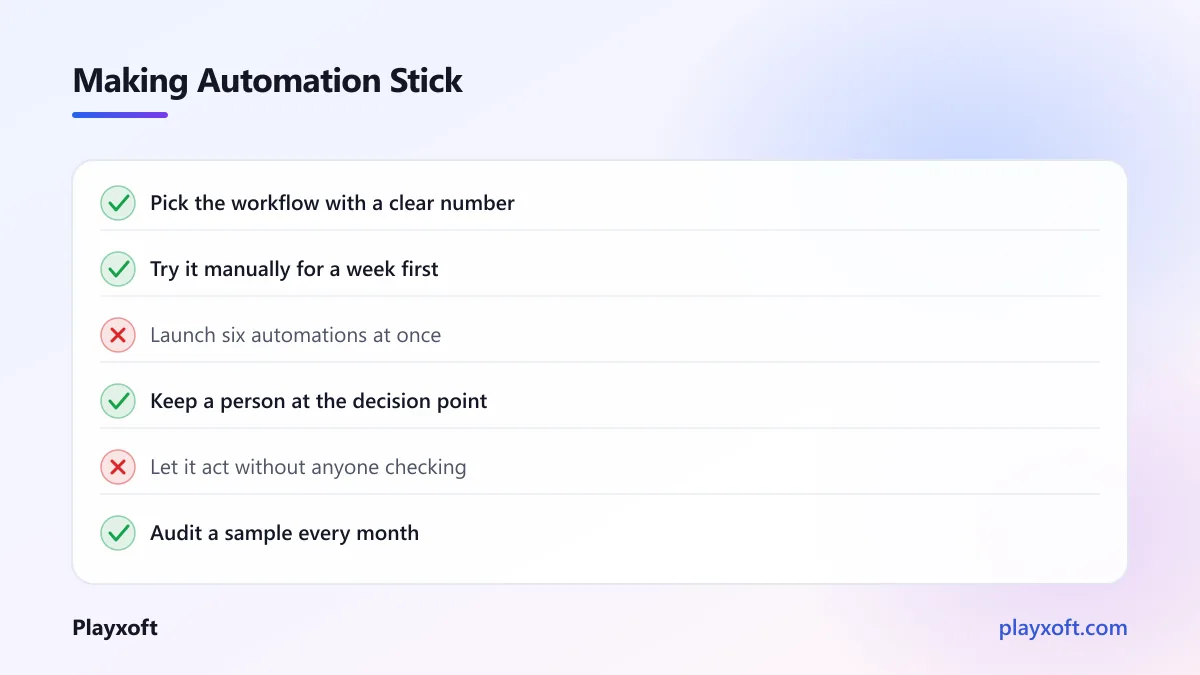
Before commissioning anything, try it manually for a week. Do the task yourself with an off-the-shelf tool and see whether the output is actually useful. That week tells you more than any proposal, and occasionally it reveals that the process itself should change rather than be automated.
Start with one, and measure it
The mistake is announcing an automation initiative and attempting six things at once. Pick the one with the clearest measurement — for most small teams that is either document extraction or lead triage — and run it for a month.
Keep a person in the loop. Track the number you chose. If it moved, do the next one. If it did not, find out whether the problem was the workflow, the source material, or the fact that the task was not actually costing you what you assumed.
AI agents for small business work best as a quiet reduction in tedious work, not as a transformation programme. Teams that approach it that way tend to end the year with several workflows genuinely improved. Teams that approach it as a strategic initiative tend to end the year with a pilot.
If you want help identifying and building the automations that would actually pay off in your business, book a free consultation call or email nitheesh@playxoft.com. We will start by asking what takes up your team's time, not by recommending a technology.