Chrome Extensions as a Growth Channel: Why More SaaS Companies Are Building Them

Every SaaS company has the same underlying problem, and it is not building the product. It is that the product lives somewhere the customer has to remember to go.
You built something useful. It sits at your domain. To get value from it, the user must stop what they are doing, open a tab, log in, and change context. Every one of those steps loses people, and the loss compounds daily.
A Chrome extension for SaaS inverts that. Instead of asking the user to come to your product, the product appears inside the work they were already doing. That single difference is why extensions have quietly become one of the more reliable growth channels in software — and why teams that get them right see usage patterns they could not achieve with a web app alone.
Three things an extension gives you that a web app cannot
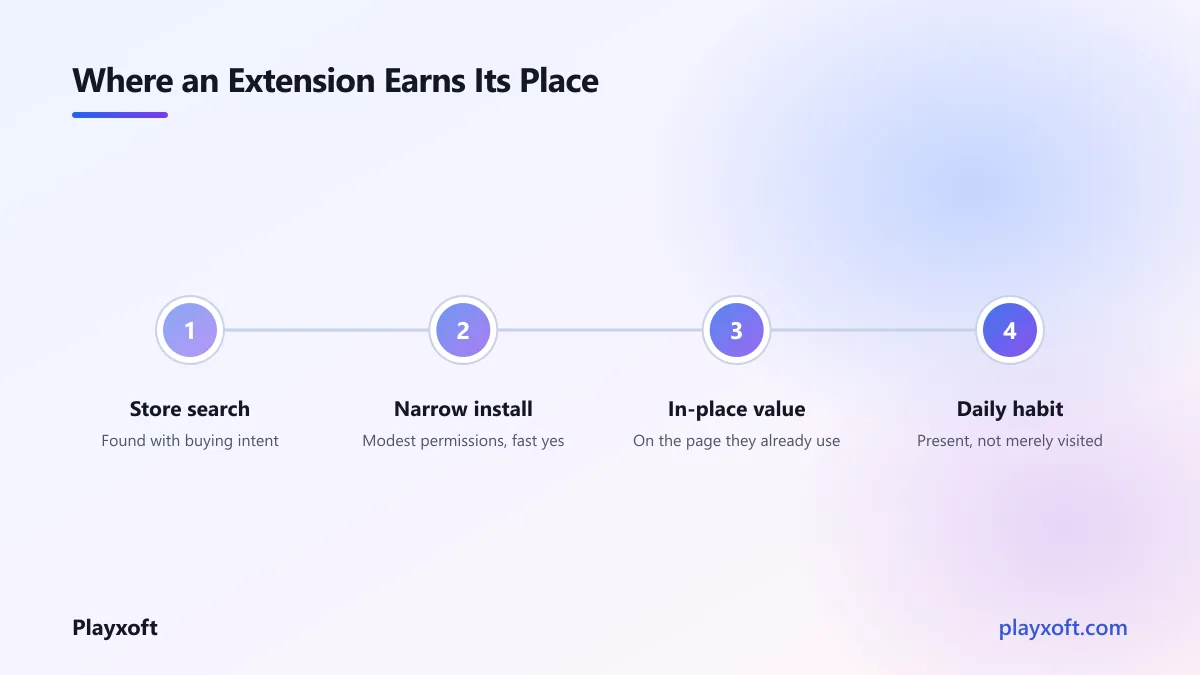
It removes the context switch. If your tool helps someone write better emails, living inside their inbox beats living on your website by a margin that no amount of onboarding polish will close. The user does not decide to use you; you are simply there when the need arises.
The store is a discovery surface. The Chrome Web Store is a search engine with buying intent. People type what they want to accomplish and install the first credible result. That is a different and cheaper acquisition path than competing for the same queries on the open web.
It creates daily habit. Web apps are visited. Extensions are present. Something that appears every day, unprompted, builds a usage pattern that is very hard to dislodge — which also makes it hard for a competitor to displace you later.
What makes a good extension idea
The extensions that work share a shape. The ones that fail also share a shape, and it is more instructive.
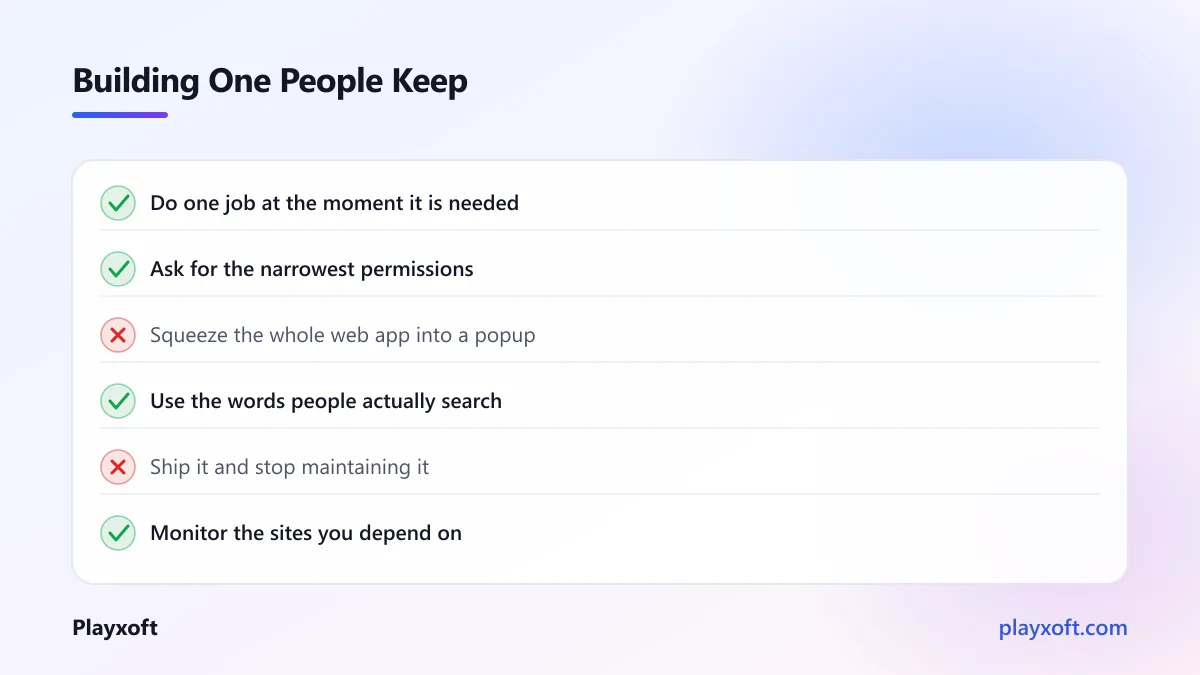
Good: the extension does one thing, at the moment the user needs it, on a page they are already on. It captures something, enhances something, or removes a step from a task they repeat.
Bad: the extension is your entire web app, squeezed into a small panel. This is the most common failure. If the user has to navigate a full interface inside a 400-pixel popup, they will open your website instead, and you will have built a worse version of something you already had.
A useful test: can you describe the value in one sentence that starts with "when I am on X, it lets me Y"? If you cannot, the idea is probably an app, not an extension.
The two shapes that convert best
From what we have built and seen, two patterns account for most successful extensions.
The capture tool. The user finds something worth keeping — a page, a contact, a product, a snippet — and one click sends it into your product. The extension is a doorway; the depth lives in your web app. This works because it creates a steady stream of data into your product, which makes the product more valuable, which makes them open it.
The in-place enhancer. The extension adds information or capability directly onto a site the user already visits. Showing your data next to a competitor's listing, adding a shortcut to a workflow, surfacing context on a profile. This works because the value is immediate and requires no visit to your product at all — the trade-off being that you must find another reason for them to come to you.
Both are narrow. That narrowness is the point.
The permissions problem
Here is the part that gets underestimated, and it is a conversion issue more than a technical one.
When someone installs your extension, Chrome shows them exactly what it can access. If that dialogue says your extension can read and change data on all websites, a meaningful share of people will stop right there — and they are not wrong to.
Request the narrowest permissions that make the feature work. Use optional permissions that are requested at the moment they are needed, with context, rather than everything up front. If you genuinely need broad access, explain why on the store listing before they ever see the dialogue.
The Chrome extension permissions documentation is worth reading properly before you design the feature, because permissions are much easier to scope narrowly at the start than to walk back after launch.
If you are weighing this against other roadmap items
An extension is a genuine product with its own review process, its own bugs, and its own maintenance burden. It is not a marketing asset you ship once.
If you are trying to work out whether it earns a place on your roadmap this quarter, we are happy to think it through with you — including the cases where the honest answer is that an integration or an API would serve you better.
The maintenance nobody mentions
Three ongoing costs that surprise teams.
The platform changes. Browser extension APIs are revised, and migrations have historically been significant enough to require real rework. If you build one, you own keeping it current, indefinitely.
The sites you sit on change. If your extension enhances a third-party page, you depend on that page's structure. It will change without warning, your extension will break, and your users will notice before you do. Monitoring for this is part of the product, not an afterthought.
Review times vary. Store review can be quick or can take days, and it is not always predictable. Anything urgent — a security fix, a break caused by a site update — is subject to someone else's queue. Plan releases with that in mind.
Getting found in the store
Store presence follows rules that are closer to app store optimisation than web SEO.
The title and the first line of the description carry most of the weight, so they should contain the words people actually search for rather than your internal product vocabulary. Screenshots matter more than copy, because almost nobody reads the full description. Early reviews disproportionately determine whether you get installs at all, so asking satisfied users to leave one is worth doing deliberately.
And be honest in the listing about what the extension does and does not do. Installs from people who wanted something else produce uninstalls and poor reviews, which cost more than the installs were worth.
What it costs to build
A focused extension — one clear job, talking to an API you already have — is a small project. It sits comfortably inside our lean product range of $8,000 to $18,000, and simple ones land well below that.
The cost grows with two things specifically: the number of third-party sites you need to work correctly on, and whether you need your own authentication and sync rather than reusing an existing backend. Supporting five sites is not five times one site, but it is not close to one either, because each has its own structure and its own breakages.
If you already have a SaaS product with an API, the extension is mostly interface work and the economics are good. If the extension is the whole product, budget as you would for a small application.
Is a Chrome extension for SaaS worth it against the alternatives?
Before committing, it is worth comparing against the two things an extension is usually chosen over.
A native integration. If the platform your users work in offers a proper app or integration surface, that is often better than an extension. You get an official listing, sanctioned access to data rather than reading the page, and you do not break when their markup changes. The catch is that approval processes are stricter and slower, and many platforms simply do not offer one.
A public API plus documentation. Cheaper to build and maintain, and it lets technical customers solve their own problems. But it only reaches teams who have someone to write the integration, which excludes most of the market. It is a complement to an extension, not a replacement for it.
The case for an extension is strongest exactly where those two fail: when the site your users live on has no integration surface, and your customers are not technical enough to wire up an API. That describes a surprising amount of daily work software. The Chrome Web Store's own developer guidance is worth reading on what the store rewards before you decide.
How to decide whether to build one
Four questions, answered honestly:
Does your value occur on a page your user is already on? If yes, an extension is a strong fit. If your product is a destination in its own right — a dashboard, a report builder — it probably is not.
Can you state the job in one sentence? Narrow wins. If the answer is a paragraph, it is an app.
Will it work with modest permissions? If it needs broad access to everything, expect a meaningful drop-off at install and factor that into your projections.
Are you prepared to maintain it for years? An abandoned extension with poor reviews is worse for your brand than no extension.
If you answered yes four times, this is one of the better distribution bets available to a software business right now. The channel is less crowded than search or paid acquisition, and the habit it builds is unusually durable.
If you are considering a Chrome extension for SaaS growth and want help scoping one that people will actually keep installed, book a free consultation call or email nitheesh@playxoft.com. We have built and shipped extensions, and we will tell you honestly if we think your idea belongs somewhere else.