From Game Jam to App Store: How to Ship Your First Commercial Game

You made something in a weekend and people liked it. Someone said you should publish it. That felt achievable, so you started, and now you are four months in and the game is still not on any store.
This happens to almost everyone who sets out to publish a mobile game for the first time, and it is not a failure of skill. It is that the distance between a prototype and a product is made almost entirely of work that is invisible while you are playing the prototype.
The good news: that work is knowable, finite, and mostly the same for every game. Here is what actually sits between a jam build and a live listing, in the order you should tackle it.
First, lock the scope in writing
Before anything technical, write one page describing the game you are shipping. Not the game you might eventually build — the one going on the store.
Include what the player does, what modes exist, how many levels or how long a run lasts, and explicitly what is not in version one. That last list is the important half.
The reason to do this first is that everything below has a cost that scales with scope. Adding a second game mode does not just add a game mode; it adds art, testing on every device, more save data, more analytics, more ways to break. Deciding this once, early, is what separates games that ship from projects that become permanent.
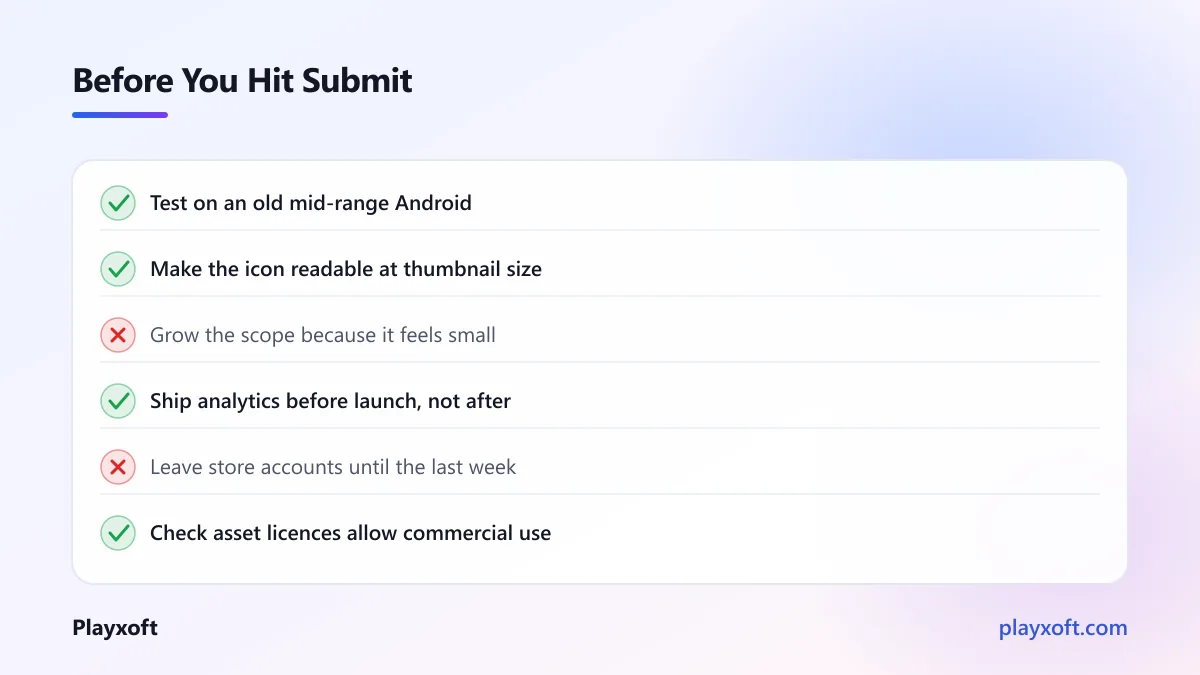
A jam prototype is usually the right size already. The temptation is to make it bigger because it feels too slight to sell. Resist that instinct at least until it is live.
Make the art consistent, not better
Jam art is typically a mix: something you drew, something from a free pack, a font you liked, placeholder icons.
The fix is consistency rather than quality. A game with a modest but coherent visual identity reads as finished. A game with three excellent assets in three different styles reads as broken, even to players who could not explain why.
Pick one palette, one font family, one icon style, and one level of detail, then bring everything to that standard. This is usually less work than people fear and it is the single biggest factor in whether a store listing looks credible.
Check your licences while you are here. Free asset packs have terms, and some prohibit commercial use or require attribution. Sorting this out before launch is far easier than after.
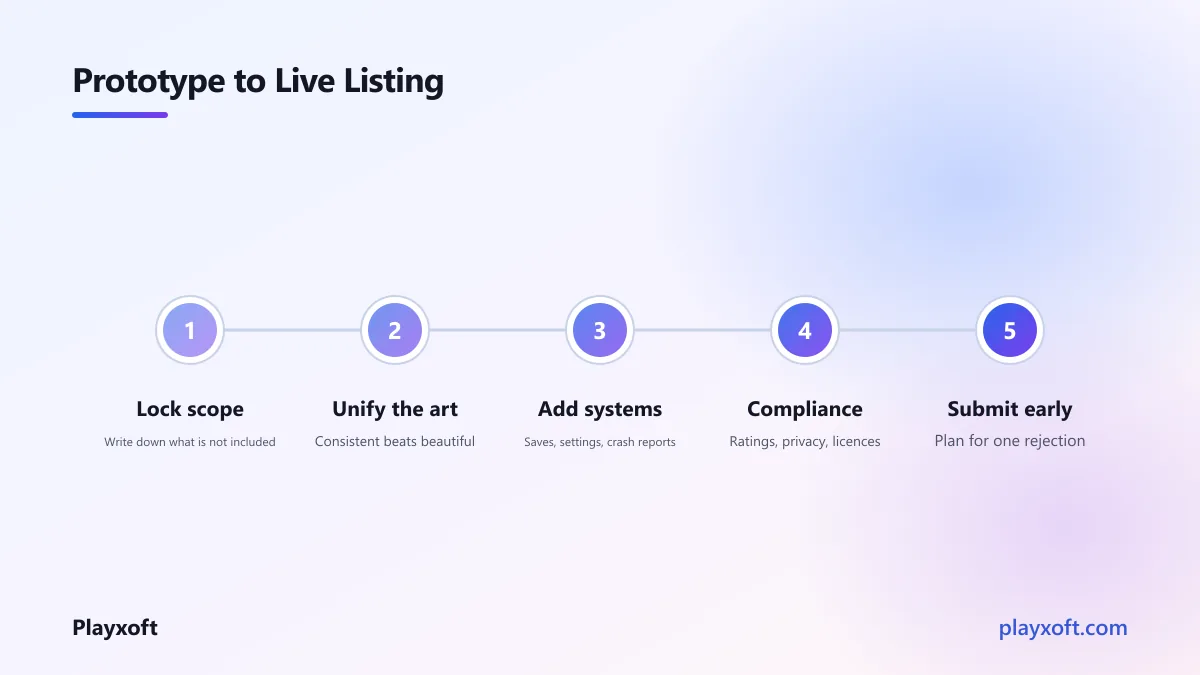
Build the systems a prototype does not need
Here is the bulk of the invisible work. A jam build runs once, in one session, on your machine. A shipped game does not.
Saving and loading. Players close the app mid-run, their phone dies, they get a call. Progress must survive all of that. Save often, save atomically so a crash mid-write does not corrupt the file, and handle the case where a save from an older version of your game is loaded by a newer one.
Settings. Volume, at minimum. Ideally a way to reduce motion or effects, which matters both for accessibility and for older devices.
Pausing and losing focus. The operating system will interrupt your game. It must pause cleanly and resume without breaking.
Error handling. A prototype can crash. A shipped game needs to fail into something a player can recover from.
Analytics and crash reporting. Without these you cannot tell whether players are finishing your tutorial or quitting during it. Add them before launch, because the first week's data is the most valuable you will ever get and you cannot collect it retroactively.
Test on the devices your players actually own
Your game runs well on your phone. Your phone is not representative.
Get hold of an older mid-range Android device and test on that. It will be slower, it will get hot, and it will reveal problems your development machine hides. A meaningful share of mobile players worldwide are on hardware several years old, and a game that runs badly for them simply gets uninstalled.
Check specifically: frame rate after ten minutes of play rather than the first thirty seconds, battery drain, memory on lower-specification devices, and how the interface behaves on different aspect ratios and with a notch.
If the finish line keeps moving
If this list has made you realise the remaining work is larger than you thought, that is the normal reaction and it is better to know now.
If you would like an outside view on what genuinely must be done before launch and what can wait for an update, we are happy to go through your build with you. Deciding what to cut is usually more valuable than adding anything.
Handle the compliance work early
This is the part that blindsides first-time developers, because none of it is game development and all of it can block your release.
Age ratings. Both stores require you to complete a content questionnaire. Answer it honestly — inaccurate ratings can get an app removed later, which is worse than a higher rating now.
Privacy policy and data disclosure. If your game collects anything, including analytics and advertising identifiers, you need a privacy policy at a public URL and you must declare what you collect. Apple's app privacy details requirements and Google's data safety section both need filling in accurately, and both are checked.
Children's rules. If your game could appeal to children, a stricter set of obligations applies around advertising, data collection and account creation. These are not optional and the penalties are real. Decide early whether you are targeting children, because it changes what you can build.
Third-party licences. Engine splash requirements, asset attributions, and open-source licences all need honouring.
Prepare the store listing like it matters
It does matter, more than most developers accept. Your listing is doing the selling, and most visitors decide in seconds.
The icon is the most important single asset in your game. It appears everywhere, at small sizes, next to competitors. It should be readable at thumbnail size and distinct in a grid.
Screenshots are read before the description, if the description is read at all. Show actual gameplay rather than logo art, and make the first one carry the core idea by itself.
The title and first line determine whether you appear in searches. Use words players would actually type.
A short video helps if the game is hard to convey in stills, and hurts if it is poorly made. Optional.
Submit early, because review takes time
Both stores review submissions, and timing varies from hours to several days. Rejections happen for reasons that are frequently administrative rather than about your game — a missing privacy URL, a demo account you did not supply, metadata that mentions a platform you should not name.
Submit a build well before any date you care about. Plan for at least one rejection cycle. Read the App Store Review Guidelines before you submit rather than after you are rejected, because most rejections are avoidable.
Also set up your store accounts early. Developer registration, tax details and banking information can take longer than you expect, and none of it can be rushed at the last minute.
What launch day actually looks like
Quiet. This is the part nobody warns you about.
Unless you have built an audience beforehand, releasing a game produces very little on its own. Stores do not promote new titles automatically, and there is no mechanism that surfaces you to players who would like your game.
So do the unglamorous things: tell people while you are building rather than after, post development progress where players of your genre gather, reach out to small creators who cover similar games, and make sure the listing is searchable for the terms your players use.
And treat launch as a starting point rather than a finish. Your first week of analytics will tell you where players stop playing. Fixing that and updating is usually worth more than anything you could have added before release.
What it costs if you bring in help
Most first-time developers do the game themselves and get stuck on the parts that are not game design — backend, store compliance, performance on weak hardware, live operations.
If you bring in help for those pieces only, it is a small engagement rather than a full build. For reference, a complete simple real-time multiplayer mobile game runs $15,000 to $30,000 with us, and a mid-scale title with live operations $30,000 to $70,000. A targeted piece of work — a backend, a performance pass, a compliance and submission sprint — sits well below those figures.
Those ranges are meaningfully under typical North American and Western European studio pricing, because of how our team is structured rather than because anything is skipped. A firm number always follows a short scoping conversation, since the variance between a two-week polish pass and a full backend is enormous.
Ship the small thing
The most common reason a jam prototype never becomes a released game is not difficulty. It is that the scope grew every time the developer thought about it, until finishing became impossible.
Deciding to publish a mobile game means deciding to stop adding. The version you ship should feel slightly too small to you, because you have played it a thousand times and the player has not played it at all.
Get it out, watch what real players do, and improve from there. A modest game that is live and learning beats an ambitious one that is eternally three weeks from ready.
If you are close to launch and want help with the parts that are not game development — compliance, store setup, performance on low-end devices, or deciding what to cut — book a free consultation call or email info@playxoft.com. We ship mobile games, and this is the stretch where most first-time developers need a hand.