Web App, Mobile App, or Both? A Decision Framework for Non-Technical Founders

"We need an app." We hear this most weeks, and roughly half the time the person saying it means a website, and a good portion of the remainder would be better served by one.
The word "app" has drifted to mean any software product, which makes it useless as a specification. Before you commit a budget, it is worth separating what you actually need from the word that has attached itself to it.
The web app vs mobile app decision comes down to four questions. None of them are technical, and answering them honestly usually makes the choice obvious.
Question 1: Where is the user when they need this?
This is the one that decides most cases, and it gets asked least.
Picture the moment your product is used. Not the demo — the real moment. Is the person at a desk with a keyboard, or standing somewhere holding a phone?
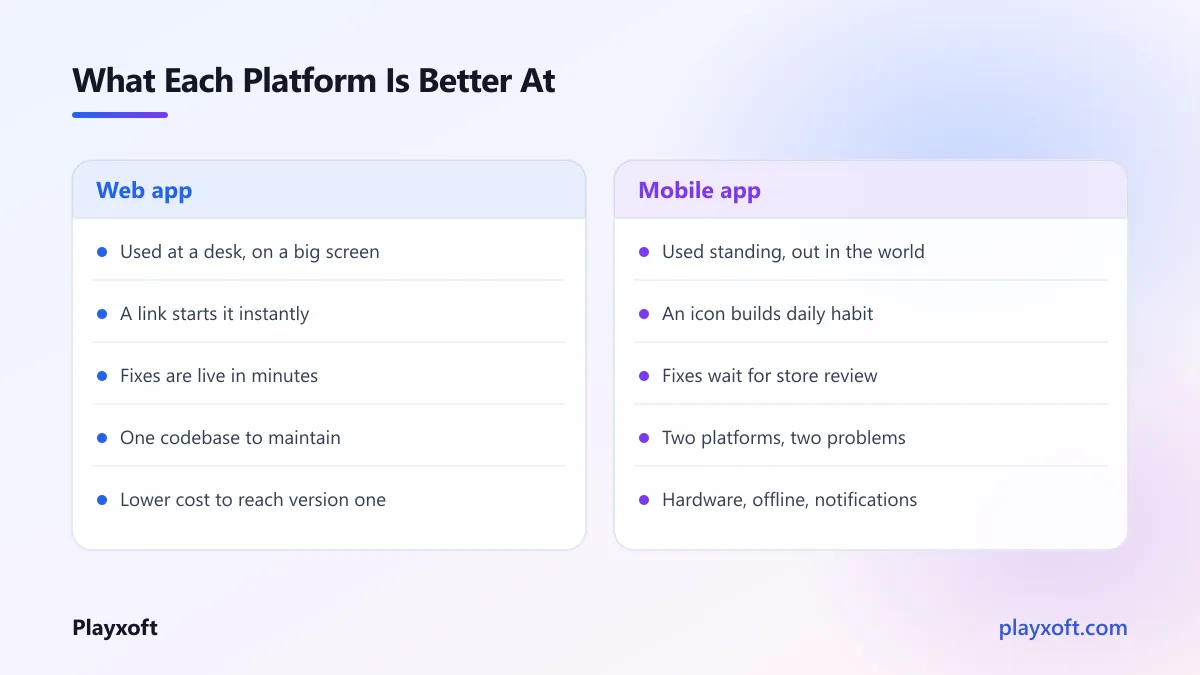
At a desk means web. Data entry, anything requiring a large screen, anything involving careful comparison or long-form work, anything used alongside other tools. Forcing this onto a phone makes it worse.
Away from a desk means mobile. A delivery driver, a technician on site, a shopper in a queue, someone at a gym. A web page in a browser works here but sits behind a URL nobody remembers.
Both is real and common, and it does not automatically mean building two things — it often means a responsive web app where the phone experience is a first-class citizen rather than an afterthought.
Question 2: Do you need something only a mobile app can do?
The list of capabilities exclusive to native apps is shorter than most people assume, and shrinking.
Genuinely requires native:
- Reliable background processing while the app is closed
- Deep hardware integration — advanced camera control, Bluetooth peripherals, health sensors
- Real offline capability with substantial local data
- Push notifications that reliably reach the user on every platform
- Presence on a device's home screen as a primary entry point
Does not require native, despite common belief: taking photos, basic geolocation, payments, real-time updates, and a polished interface. All of these work well on the modern web.
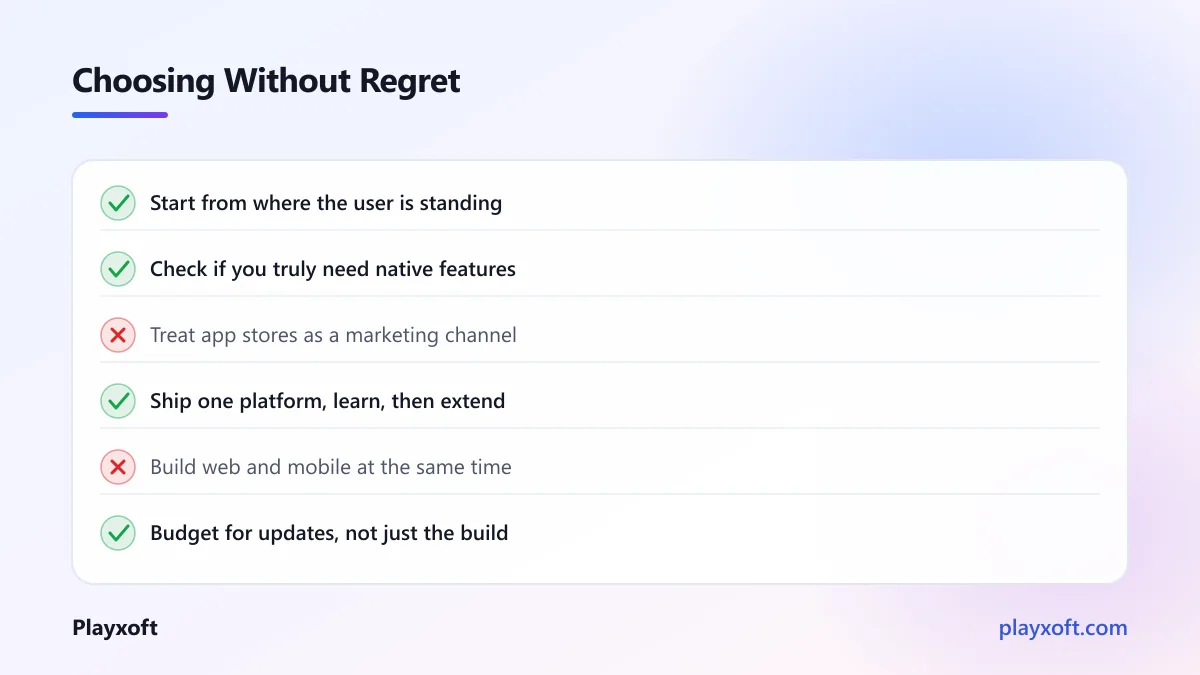
If none of the first list applies, mobile is a distribution choice rather than a technical necessity — which is a perfectly good reason, but it should be made knowingly.
Question 3: How will people find and start using it?
Discovery differs fundamentally between the two, and this is where founders are most often surprised.
Web wins on trial friction. A link works instantly. Someone can go from a search result to using your product in seconds. For anything sold to businesses, or anything where someone needs to evaluate before committing, this is a large advantage.
Mobile wins on retention. An icon on a home screen is seen dozens of times a day. That presence builds habit in a way a bookmark never does.
App stores are not a marketing channel. This is the most common misconception. Store search works for generic needs — "habit tracker", "expense scanner" — but nobody searches for a product they have never heard of. If your product is novel, the store will not find users for you; you still have to.
Question 4: What can you actually afford, in time as well as money?
Mobile costs more, and the gap is bigger than the build estimate suggests.
For reference, our own ranges: a cross-platform standard app runs $15,000 to $35,000, while a lean web product sits at $8,000 to $18,000 and a standard one at $18,000 to $40,000. Those figures sit well below typical North American and Western European agency pricing, because of how our team is structured rather than because anything is skipped.
But the build cost is not the whole difference. Mobile adds ongoing obligations that web does not have:
Release cycles are slower. A web fix is live in minutes. A mobile fix waits for store review, and then waits again for users to update. Some never do, so you support old versions indefinitely.
Two platforms means two sets of problems, even with cross-platform tooling. Platform-specific bugs, differing behaviours, separate store requirements.
Store policies change, and compliance is your problem on their timeline.
If you are trying to decide right now
This choice is genuinely consequential and hard to reverse cheaply, which is exactly the kind of decision worth spending an hour on before spending a quarter on it.
If you want to talk it through with someone who has built both, we are happy to do that — including the case where the honest answer is that you need less than you think.
Where progressive web apps genuinely fit
A progressive web app is a website that can be installed to a home screen and work offline. It sits between the two options and it is frequently oversold.
What it genuinely gives you: one codebase, instant updates with no review process, an installable icon, offline capability, and no store commission.
Where it falls short: background processing is limited, some hardware access is unavailable, notification support has historically been inconsistent across platforms, and — the big one — discovery through installation is poor. Most users do not know a website can be installed, and the prompt to do so is easy to miss.
The honest summary: a progressive web app is an excellent choice when your users will find you through the web anyway and you want to improve their repeat experience. It is a poor substitute when you genuinely needed a native app. Google's documentation on progressive web apps is a fair guide to current capability, and worth checking against your specific requirements rather than relying on what was true a few years ago.
Three worked examples
A scheduling tool for clinics. Staff use it at a reception desk, all day, entering and comparing data. Answer: web, clearly. A mobile app here would be a worse version of the same thing. Perhaps a small companion app later for practitioners checking their day.
A field inspection tool. Technicians on sites, often with poor connectivity, taking photos, needing data available offline. Answer: mobile, clearly. Offline plus camera plus away from a desk is exactly what native exists for.
A budgeting product for consumers. Used briefly, several times a week, often standing in a shop. Needs to prompt people at the right moment. Answer: mobile first, because habit and notifications are the entire product mechanic — with a simple web view for the monthly review people do at a laptop.
Notice that in each case the answer came from question one, and the other questions confirmed rather than overturned it.
What "responsive web" should actually mean
If you land on web, there is a second decision hiding inside it, and getting it wrong produces the worst of both worlds.
A responsive site that merely does not break on a phone is not the same as one designed for a phone. The first shrinks a desktop layout until it fits. The second considers what someone standing up, using one thumb, on a poor connection, actually needs to do.
Practically, designing for the phone case means: tap targets large enough to hit reliably — the accessibility guidance on target size is a sensible minimum — primary actions within thumb reach rather than in a top corner, forms that ask for as little as possible, and pages light enough to load on mobile data.
Teams that do this well often find the mobile app they were planning becomes unnecessary, or at least postponable by a year. Teams that treat responsive as a checkbox end up with a phone experience nobody enjoys, conclude that the web cannot serve mobile users, and commission a native app to solve a problem they created in the design.
Do not build both at once
The most expensive mistake in this area is deciding you need both and building them simultaneously with a first version.
You double the cost, double the surface area for bugs, and split a small team across two codebases — all before you know whether anyone wants the product. And you will learn things from the first platform that change what the second should be.
Pick the one that matches question one. Build it properly. Learn from real users. Add the second when you have evidence that you need it, which is also when you will know what it should contain.
The short version
Start with where the user is standing. That answers it most of the time.
If they are at a desk, build web. If they are out in the world with a phone in their hand, build mobile. If you genuinely need background work, hardware access or real offline capability, that settles it toward native regardless of the other answers.
And whichever you choose, build one. The web app vs mobile app question only becomes a both when you have users telling you so.
If you want help making this call for your specific product — with honest numbers for each path and a recommendation you can act on — book a free consultation call or email nitheesh@playxoft.com. We build for both, so we have no reason to push you toward either.